Clone Your Voice in ACE Studio: The Guide Nobody Writes
ACE Studio can train an AI singer on your own voice.
Once it exists, you write MIDI and lyrics and your voice sings them. No more cutting twenty takes of a scratch vocal. Notes above your range, a throat that's wrecked from yesterday, a 2am idea you can't track without waking the house — none of it matters anymore.
But this is not a feature you casually experiment with. Slots are finite, retraining destroys the voice that was there, and the quality of your samples is the quality of your singer. There is no undo.
So here is everything, gathered from the official documentation and the live Custom Voice dashboard, before you hit record.
- Three traps to know before you start
- There are two kinds of clone
- Slots by plan
- Sample requirements
- How to record
- Post-processing rules
- Singing samples vs speech samples
- Languages
- After training: you pick from five
- Retraining and blending
- Sharing and publishing
- Rights and commercial use
- The pro move, and the Voice Changer differences
1. Three traps to know before you start
These are all documented. None of them get talked about.
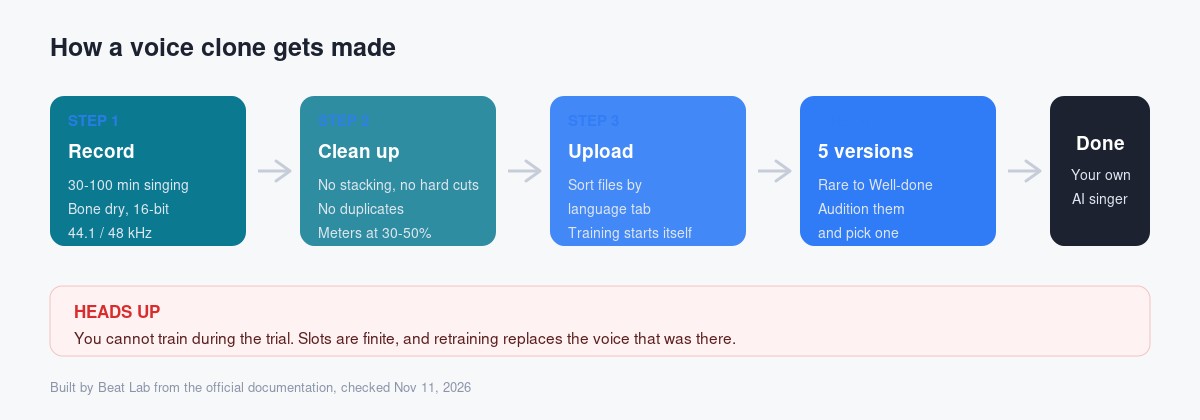
① You cannot train during the trial
"I'll just try it on the trial first" doesn't work. The FAQ on the Custom Voice page says plainly that because training a voice model is expensive, you cannot train one during the trial. You can skip the trial to unlock custom voice immediately.
If cloning is why you're here, budget for paying from day one.
Voice slots obtained through a subscription are temporarily locked when membership expires, and the custom singers inside them become unavailable in ACE Studio.
It isn't deleted — resuming the subscription unlocks everything. But understand the shape of the deal: the moment you stop paying, your own voice goes quiet.
③ Perpetual slots can never be upgraded
Alongside subscription slots, ACE Studio sells one-time "perpetual slots." Per the official FAQ, a perpetual slot cannot be upgraded, so estimate your future needs before buying one.
Subscription slots are the opposite: the FAQ says a subscription slot is already a Pro custom slot and does not need upgrading. That turns out to matter a lot — see the languages section.
2. There are two kinds of clone
Two separate features, two separate pools of slots.
| What it does | Input | |
|---|---|---|
| Vocal Synth clone | Generates singing in your voice from MIDI and lyrics, exactly like the stock AI singers | MIDI + lyrics |
| Voice Changer clone | Converts existing audio into your voice | Sung audio |
"I want my voice to sing what I write" is the Vocal Synth clone. That's the focus here; the Voice Changer differences are at the end.
3. Slots by plan
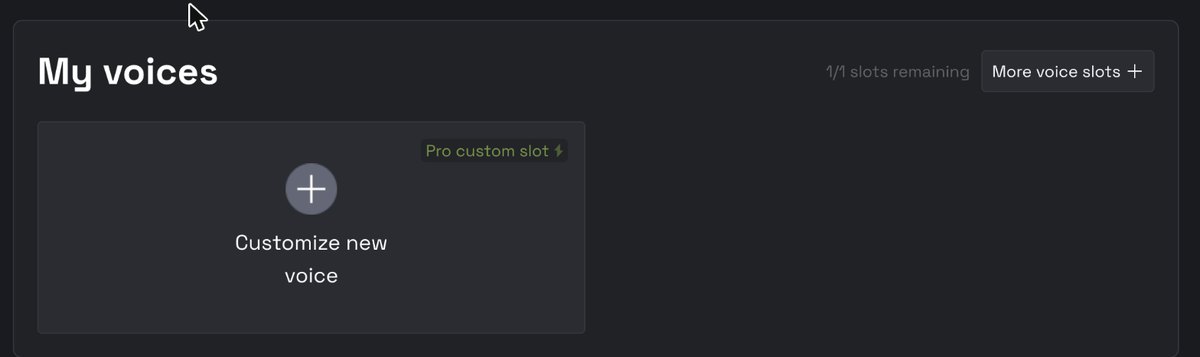
One slot holds exactly one custom singer.
| Plan | Vocal Synth slots | Voice Changer slots | Credits |
|---|---|---|---|
| Artist | 1 | 1 | 2,500 / mo |
| Artist Pro | 5 | 10 | 5,000 / mo |
On Artist you get one Vocal Synth clone. That rules out the pro technique at the end of this article, which needs two.
4. Sample requirements
Length: 30–100 minutes
The docs recommend 30 to 100 minutes of singing samples. More gives the AI more detail to learn — but the benefit explicitly drops off past 120 minutes.
So the ceiling arrives sooner than you'd think. Aim for around 100 minutes and spend the rest of your effort on quality, not quantity.
File settings
- Bit depth: 16-bit
- Sample rate: 44.1 kHz or 48 kHz
- Format: lossless (.wav or .flac)
What must not be in the audio
- Reverb, delay, chorus — any time-based effect
- Background noise
- Instrumentals or any non-human sound
- Harmonies or vocal doubles
The docs warn that vocals pulled out with a vocal remover or stem splitter may be damaged too much for training. Ripping an acapella out of an old track to clone from is not the shortcut it looks like. Record dry instead.
5. How to record
This decides everything. The docs are unusually specific, so here are the actual numbers.
Microphone
A proper singing mic into an interface. The docs name the mics to avoid:
- Phone or laptop mics
- Lapel or headset mics
- Karaoke mics
- Earphone mics and Bluetooth earbuds like AirPods
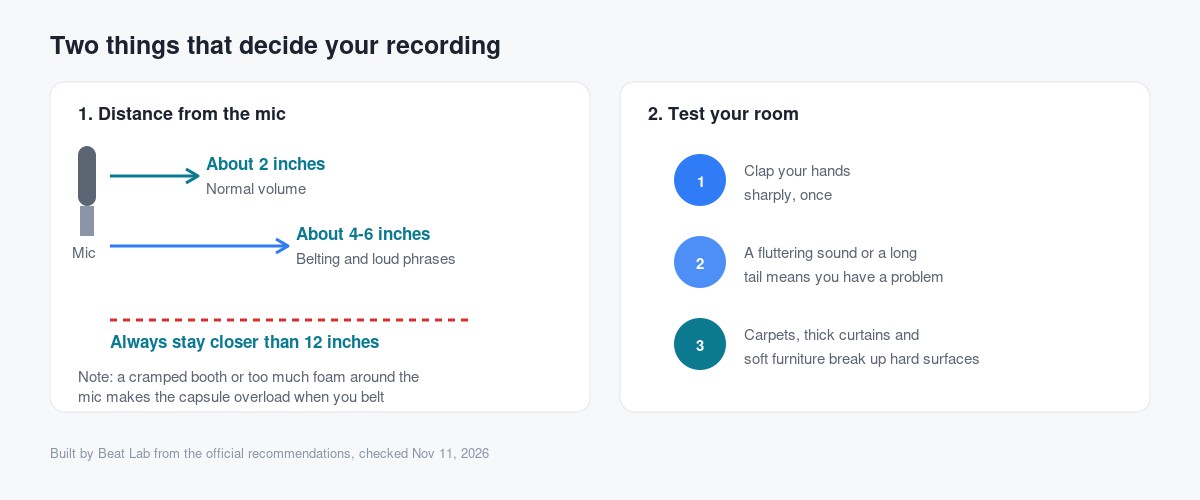
Mic distance
| Delivery | Distance |
|---|---|
| Regular volume | about 2 inches |
| Loud phrases, belting | about 4–6 inches |
| Always | stay closer than 12 inches |
There's a counterintuitive note on belting: being boxed into a closet or booth, or packing foam around the mic, overloads the capsule. If you're unsure, the docs say to allow more room sound on belted phrases. Deader is not automatically better.
Testing your room
A fluttering sound or a prolonged echo means your room has a reverb problem.
The fixes listed: carpets, rugs, thick curtains, fabric-covered furniture. If acoustic panels aren't in budget, canvas paintings, tapestries or foam tiles will break up hard surfaces. Keep the mic out of corners and away from walls — start near the middle of the room and hunt from there.
Headphone bleed
Easy to overlook. Headphone spill into the mic is tolerable when tracking a song, but the docs say to avoid it when recording for a voice model. Turn the cans down, don't use open-backs.
6. Post-processing rules
- No overlaps. Layered vocals complicate the analysis. Pull the stacked takes and deliver a single vocal track
- No hard cuts. Abrupt starts and ends don't occur in natural singing and introduce clicks and pops. Use smooth fades at both ends of every clip
- No duplicated sections. Copies teach the model nothing. It feeds on natural variation in performance
- Control the volume. Keep samples around 30–50% of your meter, and use a volume rider or automation so levels are consistent across the whole dataset — while keeping the dynamics inside sections alive
7. Singing samples vs speech samples
A Vocal Synth clone accepts both. They don't teach the same things.
| Timbre | Singing style | |
|---|---|---|
| Singing samples | Learns it | Learns it |
| Speech samples | Learns it (with a caveat) | Cannot learn it |
The caveat, in the docs' own words: for a given person, speaking timbre can differ from singing timbre, and usually can't represent their true singing performance.
Translation: build the dataset out of singing. Treat speech as filler when you're short.
8. Languages
| Slot type | Languages | Versions |
|---|---|---|
| Basic custom slot | One only | 5 |
| Pro custom slot | Multilingual | 5 |
Upload rules still apply. Each file is processed as a single-language file, so never mix phrases from different languages inside one sample. Place files under the right language tab; even a Basic slot lets you upload multiple languages if you need to.
When new singing languages ship: existing Pro slots pick them up on retraining, and Basic slots can optionally switch language on retraining.
9. After training: you pick from five
This is where ACE Studio genuinely diverges from other cloning services.
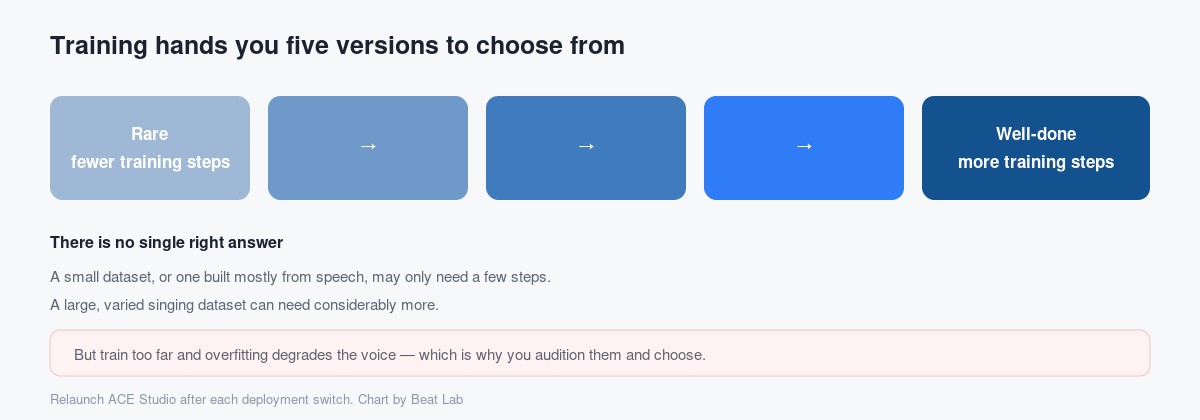
Training doesn't hand you one answer. It produces five versions at different training step counts, labelled from "Rare" to "Well-done," and you choose the best one yourself.
The reasoning is sound. The model learns incrementally, so a small or speech-heavy dataset may only need a few steps, while a large diverse one needs more. But too many steps causes overfitting, which degrades the voice unpredictably. Rather than guess for you, ACE keeps the intermediate stages and lets you audition them.
You compare by switching deployment — and you must relaunch ACE Studio after each switch for the voice library to refresh.
10. Retraining and blending
Retraining
You choose whether to keep the historical samples in the slot and add new ones, or clear them and train on the new material alone.
One warning worth repeating: adding 1 minute to a 30-minute dataset will not meaningfully change anything. Retrain when you have real new quantity or real new quality. Retraining never changes the slot's type.
Blending
Under each version there's a "blend voices" button. Mix your voice with others and adjust the ratios to push it toward a target character.
Blending also requires restarting ACE Studio to take effect.
11. Sharing and publishing
By default your cloned voice is private under your account — the docs state nobody else can access it without your authorization.
Two ways to share, and they mean very different things.
| What you do | What happens | |
|---|---|---|
| CollabSeat (Private Share) | Register a collaborator's user ID | That user gains usage rights to the custom voice in that slot. Control stays with you, and seats can be changed or cleared anytime |
| Publish to Creative Library | Submit it for publication | A copy of your custom voice is created and shared with every ACE Studio user |
Both live behind the Share button. Publishing goes through a review by the Creative Library team and can be rejected — and published voices must be royalty-free.
12. Rights and commercial use
Whose voice you may clone
Who owns the model
Equally clear: for a model trained on data you own or legally control, you fully own the resulting model and can use it commercially, with no additional authorization required — provided the input material was legally sourced.
The license page adds the general term that ACE Studio does not claim copyright over user-generated outputs. Having the rights to your inputs — prompts, lyrics, reference audio, stems, video — is on you.
How your data is handled
Per ACE Studio, user data and voice models are encrypted during upload, storage and use, and ACE Studio does not use, share, or train on your data outside your own account.
13. The pro move, and the Voice Changer differences
Split your range across two voices
The best tip in the entire documentation: if you want exclusive performance and character — the best possible results in specific ranges or emotions — divide your samples across several voices instead of one.
Their example is a singer who performs well as both tenor and bass. Rather than one model, train two: one on the high, powerful performances, one on the low phrases.
Everything in one model gets averaged. Two models stay distinct. The cost is two slots, which Artist doesn't have.
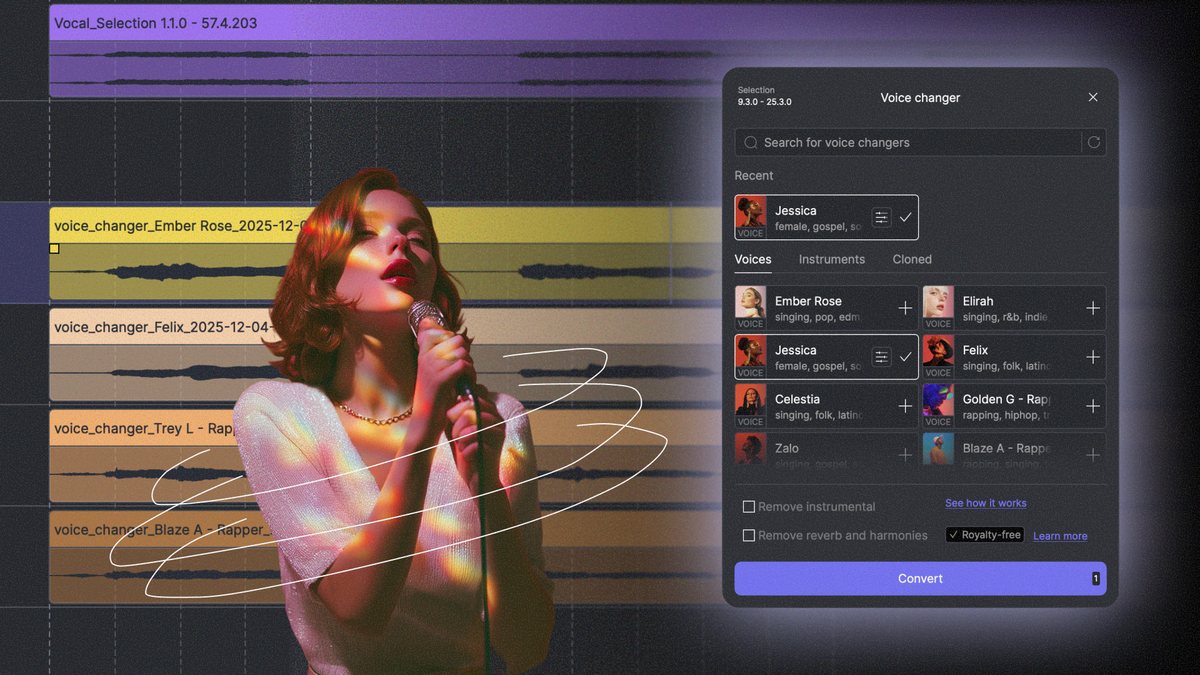
Voice Changer clones
Same recording rules — dry, noise-free, 16-bit at 44.1/48 kHz, same post-processing. Two differences:
- Language doesn't have to be consistent. Voice Changer samples don't need to be kept to one language
- Speech vs singing matters less. The docs say there's no big difference between speech and singing samples here — though for a singing voice changer, singing samples are still more suitable
One voice per slot again, and retraining behaves the same way. The management window lets you edit the voice picture, name, tags, voice type and language tag after the fact.
The first attempt is the one that counts
What defines this feature is that you don't get to iterate cheaply.
No training on the trial. A finite number of slots. Retraining erases what was there. Which means every decision you make at the recording stage is the decision.
The upside: none of the requirements are secret. 30–100 minutes, bone dry, 16-bit lossless at 44.1 kHz or better, nothing stacked, nothing hard-cut, nothing duplicated, meters at 30–50%. Hit those and the AI hands you five versions and lets you pick the one that sounds like you.
Having one singer in your library who sounds exactly like you changes how fast you work. The scratch vocal stops existing.
FAQ
How much audio does ACE Studio voice cloning need?
The official docs recommend 30 to 100 minutes of singing samples. More samples let the AI learn more singing detail, but the docs state the benefit drops off past 120 minutes. Recommended file settings are 16-bit, 44.1 kHz or 48 kHz, in a lossless format such as WAV or FLAC.
Can I try voice cloning during the trial?
No. The FAQ on the official Custom Voice page states that because training a voice model is expensive, you cannot train one during the trial. You can skip the trial to unlock custom voice immediately.
What happens to my cloned voice if I cancel my subscription?
Voice slots obtained through a subscription are temporarily locked when membership expires, and the voices in those locked slots become unavailable inside ACE Studio. Resuming the subscription unlocks the slots and the voices again.
Can I clone someone else's voice?
No. The official FAQ states you may only clone your own voice or the voice of someone who has granted you explicit legal permission, and that unauthorized cloning of third-party voices is not allowed. For models trained on data you own, ACE Studio states you retain full rights to the resulting model and no additional authorization is required for commercial use.
Is my cloned voice visible to other people?
The docs state that a cloned voice is private under your account and nobody else can access it without your authorization. If you want to share it, you can either register a specific user ID to a CollabSeat, which grants that user usage rights, or publish it to the Creative Library, which creates a copy shared with all ACE Studio users.