[Coupon Code Inside] ACE Studio Music Video Is Wild — Hand It a Track, an AI Crew Shoots Your MV (2026)
The song is done. But a video is one more thing you never get to.
You know a music video would help it travel further. You also know video editing is a job in itself. Gathering footage, cutting it to the track, exporting, redoing the parts that do not land — it costs about as much time as writing the song did. Producers, singer-songwriters, DTM users, composers — most people who make music stall right here. So the track goes up on YouTube behind a single still image.
Except that you can skip all of that and still get something that looks the part. All you do is load a song and answer the AI's questions. Watch a minute of it first.
▶ ACE Studio Music Video | Your AI Crew Directs, Casts & Shoots (official ACE Studio channel)
Characters moving, mouths matching the lyrics, camera angles changing. None of that required touching a video editor.
This is ACE Studio's Music Video feature, added in v2.1.3. No shot lists to plan, no prompts to write — the hard parts get split up and handled by the AI. If you have an original song, whatever genre it lives in, you can use it.
Here's what's actually involved, what it costs, and how it compares to other tools, using only what ACE Studio published as of October 15, 2026.
All you do is answer questions
Getting started is short. You launch music video creation from an ACE Studio project — your own song, or a finished track you imported — and the AI analyzes it, then asks four questions: visual style, story direction, lead character, and aspect ratio.
Answer those and the AI takes it from there. Plenty of people assume AI video tools mean wrestling with prompts, but the only thing you talk to here is the Director — a single AI. No camera moves to specify, no prompts to write. When something comes back, you just say "make it darker" and it adjusts.
Which means you never write a prompt and you never learn a video editor. Days of work get skipped, and what comes out is not merely watchable — it looks finished. That is the real appeal here. The video at the top shows a session actually running.
The look is yours to set in that first round of questions, too. ACE Studio says the agent is not limited to any one visual style, so you can push it toward anime or toward something close to live action. Being able to swing that far to suit the genre is what separates this from posting a single still image.
Optional: what's happening behind the scenes
Feel free to skip this part. You only ever talk to the Director, but behind it several AIs are working on separate jobs.
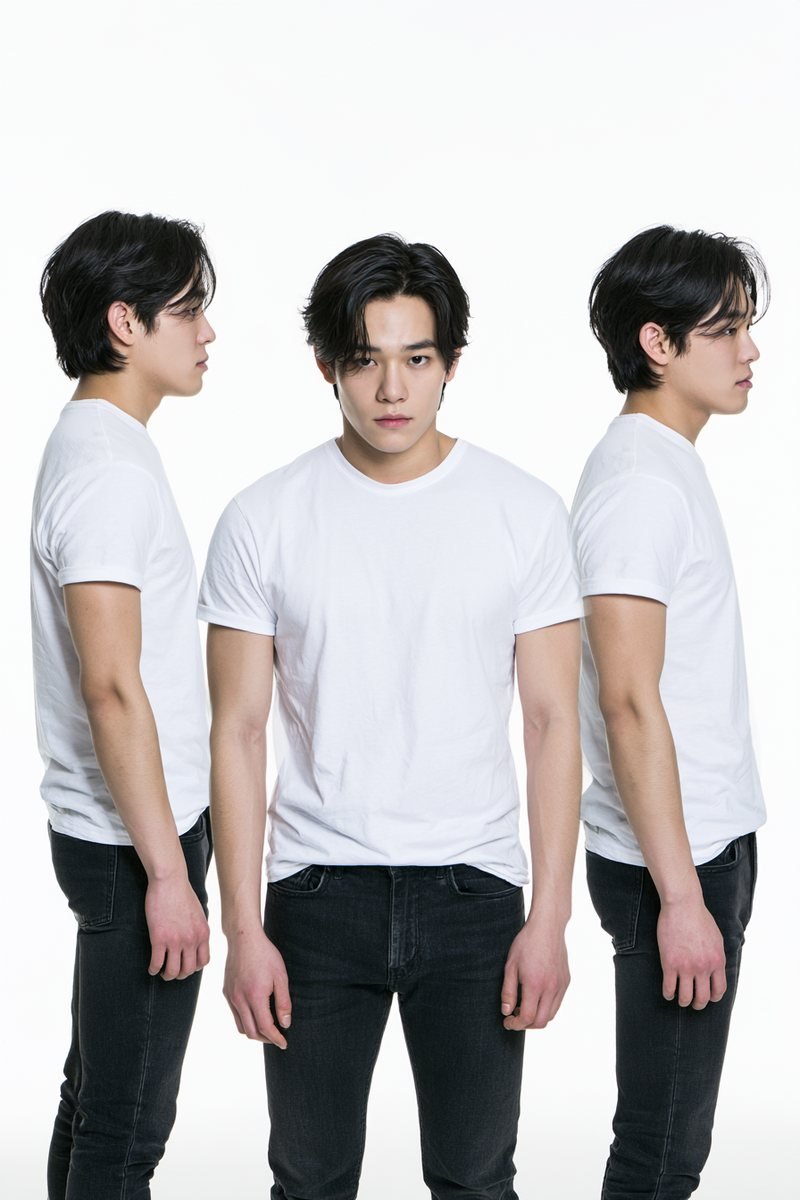
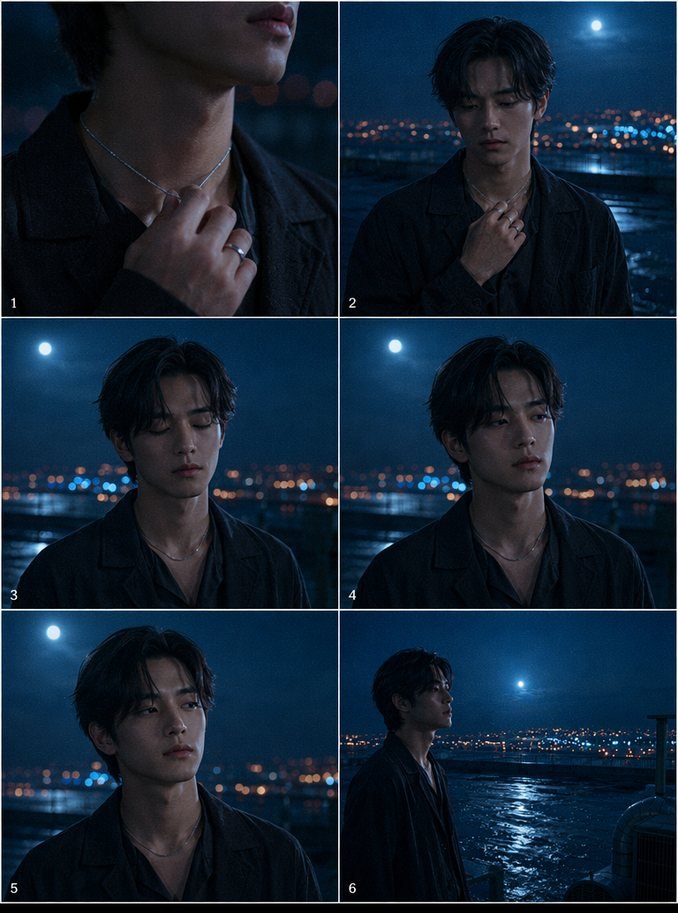
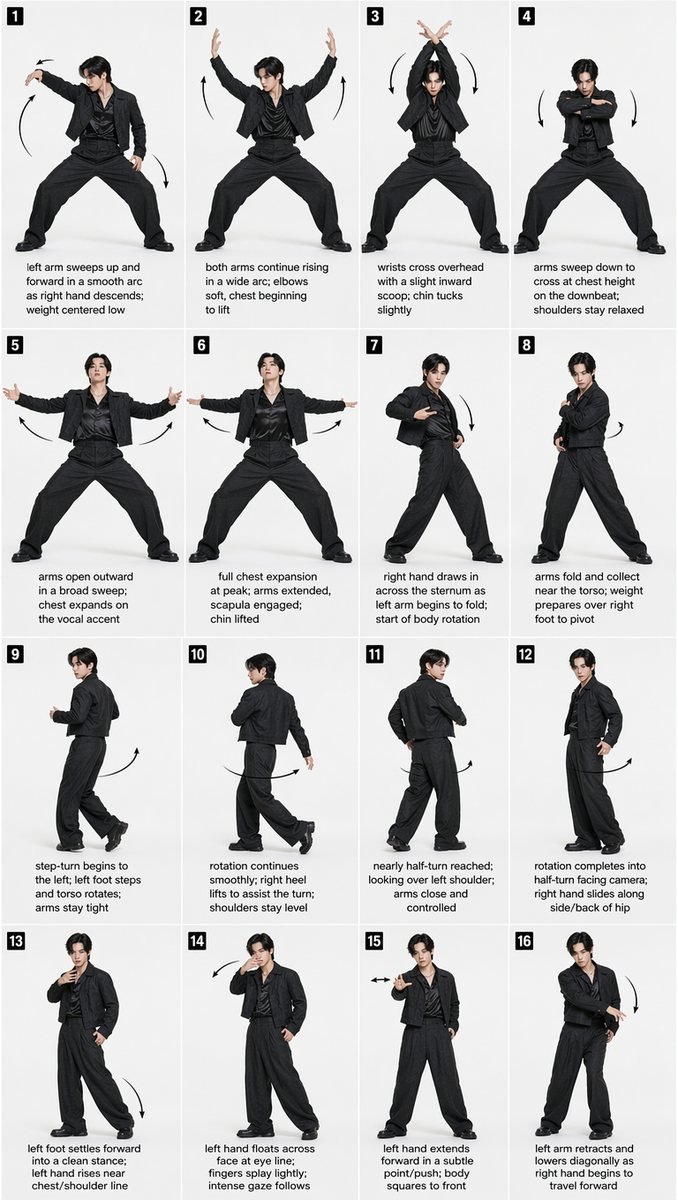
A diagram only gets you so far, though. Here's what each specialist actually produces, one output at a time. These images come from "after midnight," a sample project published by ACE Studio.

| Role | What they handle |
|---|---|
| Director | Your single point of contact. Runs the project and briefs everyone else |
| Casting Director | Designs the characters and their look in each scene |
| Art Director | Visual style, sets and backdrops, the storyboard |
| Choreographer | Dance moves and motion keyframes |
| Director of Photography | Generation prompts, video generation, lip sync passes |
For the core feature set — AI vocals from MIDI and lyrics, AI instruments — see our ACE Studio review and the ACE STUDIO 2.0 AI instruments review.
What the actual screen looks like
Here's the Music Video feature in use. On the left are the plans — characters, choreography, scenes; along the bottom is a timeline laid out against the song's structure (Intro, Verse, Chorus and so on); on the right is the running conversation with the Director. The per-shot thumbnails sitting on the timeline tell you a lot about how this feature thinks.
You see the finished idea before anything gets made
The worst moment with any AI video tool is realizing the render is wrong after it finishes. ACE Studio puts the storyboard on the Canvas as an animatic, so awkward pacing gets caught before a single frame renders.
Once you approve, each shot gets exported (rendered) in parallel and swaps in over the storyboard one by one. Shots where the character sings get lip sync — matching mouth movement to the vocal — applied automatically.
If something bothers you afterwards, only that shot gets remade. You never rebuild the whole video, so a bad take costs you very little. It's built so you can just try one and see.
What one song turns into
This is where it gets practical for anyone releasing music. Because short Spotify Canvas loops come out of the same workflow, a single release can ship with a full video, a vertical cut for Shorts, and a Canvas — no rebuilding per format. If you run a Type Beat channel, pair it with our video length and structure guide and YouTube SEO guide.
Video Composer runs the other direction
There's a reverse function too. Video Composer (v2.0.7, a free update) reads a video's scenes and cuts, then writes music and sound effects and lays them onto the timeline for you. Music Video is the focus of this article, so that's all you really need to know — going from video to music works in the same app.
Promo Clip arrived in August 2026
When this article first went up, a music video meant one video for the whole song and nothing else. Start a session today and the first thing you see is a "Choose your video style" screen with two production modes. This part landed after publication, so what follows is from the official documentation.
The gap is hard to miss: a full-length video starts at 25,000 credits, a Promo Clip at 500. Artist Pro's 5,000 monthly credits won't produce a single full-length video, but they will cover several Promo Clips. If the credit cost was what kept you from trying this at all, the entry point just moved a long way down.
It runs on the same Director agent at the same production quality; officially, the only difference is that the scope is one section of your song. The flow is nearly identical — pick Promo Clip, choose an aspect ratio (9:16 for Reels, TikTok and Shorts, 16:9 for YouTube, 1:1 for the Instagram feed, 3:4 for Pinterest), then describe the look you want. You can upload one character image to put a specific subject at the centre of the clip.
- Check the section boundaries first. The Director analyses the song and proposes sections — Intro 0:00–0:31, Verse 0:31–0:57 and so on — but the auto-segmentation isn't always right. If it's off, fix it on the Canvas, then choose "Other" and tell the Director which part to use
- Choose the video model early. Maximum shot length varies by model, and the Director scripts around it
- Fix everything before video generation starts. Character design, scenery, colour — regenerating images at that stage is cheap. Redoing it after the video exists costs far more time and credits
We haven't been able to test Promo Clip ourselves yet. This section summarises the official "Creating a Promo Clip" documentation, checked on September 23, 2026.
Pricing and credit costs (as of October 15, 2026)
The official FAQ is clear: music video generation needs an active subscription and AI credits. There are two plans, and both include Music Video, Video Composer, Stem Splitter, and the music/SFX generation kit.
| Plan | Per month (billed annually) | Credits per month | Voice cloning slots |
|---|---|---|---|
| Artist | $16.58 regularly $20.73 | 2,500 | 1 vocal synth / 1 voice changer |
| Artist Pro | $22 regularly $27.5 | 5,000 | 5 vocal synth / 10 voice changer |
As displayed on the official site on July 28, 2026, with the summer discount (20% off) applied. Both plans include unlimited use of 160+ AI voices and 40+ AI instruments. ACE Studio uses a rent-to-own model — rent for two years and the license becomes permanent — and offers a full refund within 7 days of payment (contact [email protected]). Check the current numbers on the official pricing page.
What credits actually cost (official docs)
Source: ACE Studio official documentation, "Music Video" (re-checked August 1, 2026)
| Category | Model / feature | Unit | Credits |
|---|---|---|---|
| Music analysis | Music Analysis | per request | ~20 / min |
| Image | Midjourney | per generation | 20 |
| Nanobanana | per generation | 25 | |
| GPT Image 2 | per generation | 15 | |
| Qwen Image Multiple Angles | per generation | 7 | |
| Video | MiniMax-H3 (default) | per second | 22 |
| Seedance 2.0 (720p) | per second | 34 | |
| Seedance 2.0 (1080p) | per second | 68 | |
| Seedance 2.5 (720p) | per second | 68 | |
| Seedance 2.5 (1080p) | per second | 136 | |
| Lipsync 3 | per second | 25 | |
| Agent | LLM tokens | actual usage | depends on the task |
Credits disappear fast once video is involved. Ten seconds costs 220 credits on the default MiniMax-H3, 340 on Seedance 2.0 at 720p and 680 at 1080p — and Seedance 2.5 doubles that again. It goes quicker than you expect, so the realistic workflow is to lock the structure on a cheap model and move up only where it matters.
Model choice is about more than image quality. Each model allows a different maximum shot length, and the Director scripts your shots around it. MiniMax-H3 and Seedance 2.0 cap out at 15 seconds; only Seedance 2.5 goes beyond that, at double the credit cost of Seedance 2.0. Officially, MiniMax-H3 suits animation and illustrated styles while Seedance 2.0 suits realistic, live-action looks — and if you already know the style you want, pick the model early.
That storyboard check saves credits too. Not exporting a structure you already dislike changes your monthly math more than any setting does. Fix it before you make it, rather than making it and fixing it after.
How it differs from other AI music video tools
| Tool | What it does | Who it suits |
|---|---|---|
| ACE Studio | Analyzes your song, builds a plan, and lets you check the storyboard before anything is exported. Singing shots get lip sync automatically | Anyone who doesn't know video but wants one finished music video for their own song |
| Neural Frames | Music-video focused. Visuals react to the audio; said to excel at abstract, experimental imagery | People who want mood-driven visuals rather than a story |
| Kaiber | Art-leaning animation, reportedly easy to navigate (known for Linkin Park's official "Lost" video) | People who want illustrated or anime-style visuals |
| Runway | Best-in-class general video generation, with fine control over camera paths and subject motion, per reviews | People crafting the video itself as a piece of work (music sync generally needs separate editing) |
Competitor descriptions are an overview drawn from multiple 2026 review articles. Feature sets change — check each vendor's official site for current specs.
It's less about which is best and more about who each one suits. Runway if you want to craft the video as a piece of work. Neural Frames if you want abstract, mood-driven visuals. And ACE Studio if you don't know video but want one finished music video for your own song — producer, singer-songwriter or composer, it works the same way.
Song analysis, storyboard approval and lip sync all sit on one continuous line, so you never move between a DAW and a video editor. Not having to learn a video editor — that's the real difference.
FAQ
Q1. Do I need video editing experience?
A. No. You talk to the Director only — character design, visual style, movement and shooting are all handled on the AI side. Your job is looking at what comes back and saying what you want changed. Operating a video editor is not part of it.
Q2. Can I use a song I made in another DAW?
A. Yes. Songs built inside ACE Studio work, and so do finished tracks from any other DAW as long as you import the audio file. The AI analyzes it before building the plan.
Q3. What does it cost?
A. You need an active subscription and AI credits. As shown officially on July 28, 2026: Artist at $16.58/month billed annually (regularly $20.73) with 2,500 credits, Artist Pro at $22/month (regularly $27.5) with 5,000 credits. Officially, a full-length Highly Customized production starts at 25,000 credits and a single-section Promo Clip starts at 500. Per second, the default MiniMax-H3 costs 22, Seedance 2.0 costs 34 at 720p and 68 at 1080p, and Lipsync 3 costs 25.
Q4. If I dislike one shot, do I redo everything?
A. No. Only the shot you flagged gets remade. And before anything is exported, the storyboard plays back as a rough cut (an animatic), so you can check length and pacing then. It's built to keep you from finding out too late.
Wrapping up
ACE Studio's Music Video isn't really about AI being impressive — it's a tool that lowers the bar for making video at all. Load a song, answer the questions, check the storyboard, fix the parts you don't like. You can make a music video without learning video editing software, and you can start with no filmmaking background at all.
One song yields a full video, a vertical cut, a Spotify Canvas and a live backdrop, which multiplies what a single release can look like. That applies well beyond beatmaking — singer-songwriters, DTM producers, composers and independent artists with original songs all use it the same way.
If you want fine control over every frame, a dedicated video tool may serve you better. But if you have no video editing experience, you want a music video quickly, or you need visuals for Type Beats and releases — it's worth trying.
If you already have one finished song, load it in and see what storyboard the AI comes back with. There's a 7-day money-back guarantee, so you can walk away if it isn't for you.