soothe2: What Does It Fix, and Should You Get soothe3? (Free Trial Available)
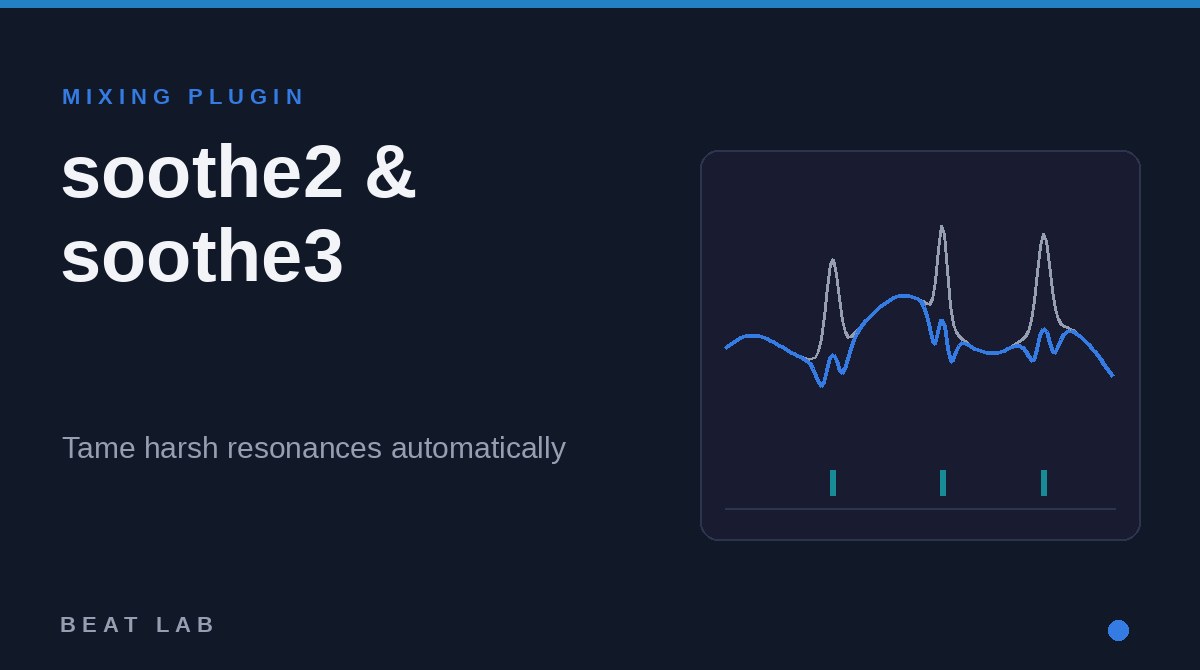
Harsh vocals stabbing at 3–5 kHz. Hi-hats that pierce your ears. 808s turning to mud whenever the kick hits. oeksound's soothe2 is built to tame exactly these common mix problems automatically. It is a "dynamic resonance suppressor": it finds harsh resonant peaks and attenuates them only in the moment they ring out, and it is widely used by mix engineers and beatmakers alike.
In this review, the Beat Lab editorial team breaks down what soothe2 actually solves, how it differs from an EQ, and the pricing and upgrade terms of its successor soothe3, released in May 2026 — all verified against oeksound's official pages as of September 29, 2026. For the bigger picture of frequency clashes, see our guides on mixing 808s and bass and building a mix template.
What Is soothe2? An Automatic Fix for Moving Resonances
soothe2, released by Finland's oeksound in 2020, constantly analyzes the incoming signal, generates extremely narrow cut filters exactly where harsh resonant peaks appear, and removes them the instant the peaks disappear — all in real time.
The key insight: resonances move with pitch and performance. A vocal's harsh spots shift from phrase to phrase; a hi-hat's piercing peak changes with every hit. Static EQ cuts can't chase them — soothe2 tracks and treats them automatically. Cutting down on stacking notch EQs by hand is the main reason people reach for it.
Note that oeksound released the successor soothe3 in May 2026, and the official soothe2 page now redirects to soothe3 (verified September 2026). Everything below about what soothe2 does — and when to use it — applies directly to soothe3 if you're buying today.
How Is It Different from an EQ?
"Couldn't an EQ do this?" is the obvious question — and the answer is soothe's entire reason to exist.
| Tool | Behavior | Best at | Limitation |
|---|---|---|---|
| Static EQ | Boosts/cuts fixed bands all the time | Tone shaping, overall tonal balance | Can't chase moving resonances; permanent deep notches thin out the sound |
| Dynamic EQ | Cuts a chosen band only when it exceeds a threshold | Pinpoint control of known problem bands | Limited bands — you must find each frequency yourself |
| De-esser | Reacts mainly to sibilance (roughly 5–10 kHz) | Taming "s" sounds | Doesn't address harshness or mud outside sibilant range |
| soothe2 | Auto-detects resonances across the spectrum, suppresses them momentarily with narrow filters | Moving harshness, mud, and fizz — handled automatically | No tone shaping; tonal balance design is still an EQ job |
In other words, soothe2 is not an EQ replacement — it's the cleanup stage before EQ. Remove the problem content first, then shape with EQ, and your treble boosts stop dragging the harshness up with them.
What It Solves: Three Beatmaker Use Cases
1. Harsh, Sibilant Vocals
The piercing 2–8 kHz build-up in rap and melodic vocals comes from mic, room, and voice resonances stacking up — and it moves with every phrase. Drop soothe2 on the vocal in soft mode with a light setting, and the harshness recedes while the brightness stays. It also catches the abrasive upper-mid content a de-esser leaves behind.
2. Piercing Hi-Hats and Cymbals
Great on trap-style rolling hats and cheap-sounding loop fizz. Where a broad EQ cut dulls the whole top end, soothe2 tames only the painful peaks and keeps the air. A light instance on the drum bus is also common.
3. Muddy 808s (Sidechain Masking Control)
soothe2's second act is its external sidechain input. Feed the kick into the sidechain of an instance on your 808 track, and it will duck only the frequencies where the kick and 808 overlap, exactly when the kick hits — frequency-tracking ducking. Unlike a regular sidechain compressor that pulls the whole level down, the low-end power stays intact. For the fundamentals of kick/808 separation, see How to Mix 808s & Bass.
Cheat Sheet: When to Use soothe2/soothe3 — and When Not To
Our one-table verdict on where it earns its slot and where another tool does the job better. Feel free to reference or share this table.
| Situation | Verdict | Why / use instead |
|---|---|---|
| Harsh vocals, abrasive upper mids | ◎ Use it | Its strongest use case. Soft mode, light amount; add a de-esser if sibilance dominates |
| Piercing hi-hats / cymbal fizz | ◎ Use it | Tames peaks while keeping air — fewer side effects than broad EQ cuts |
| Kick vs. 808 frequency overlap | ◎ Use it | External sidechain ducks only the overlapping bands. If you just want level ducking, a normal sidechain compressor is enough |
| Boxy home-recording room tone | ○ Use it | Effective on midrange "boxiness" from budget mics and rooms. Severe room sound needs re-recording or treatment first |
| Resonant piano, guitar, sample material | ○ Use it | Works on annoying rings in samples too. Overdo it and the body disappears |
| Entire master bus | △ Carefully | Very light settings (1–2 dB of reduction) can help; heavy settings thin the whole mix |
| Tone shaping / tonal balance | ✕ Skip it | That's an EQ's job. soothe removes problems; it doesn't build sounds |
| Inserting it on every track by default | ✕ Skip it | The mix turns characterless. Use it only where there's a problem |
| "My mix isn't loud/punchy enough" | ✕ Skip it | Resonance suppression won't fix loudness — use compression/limiting and check with our free dynamics analyzer |
soothe3 Arrived in May 2026: What Changed
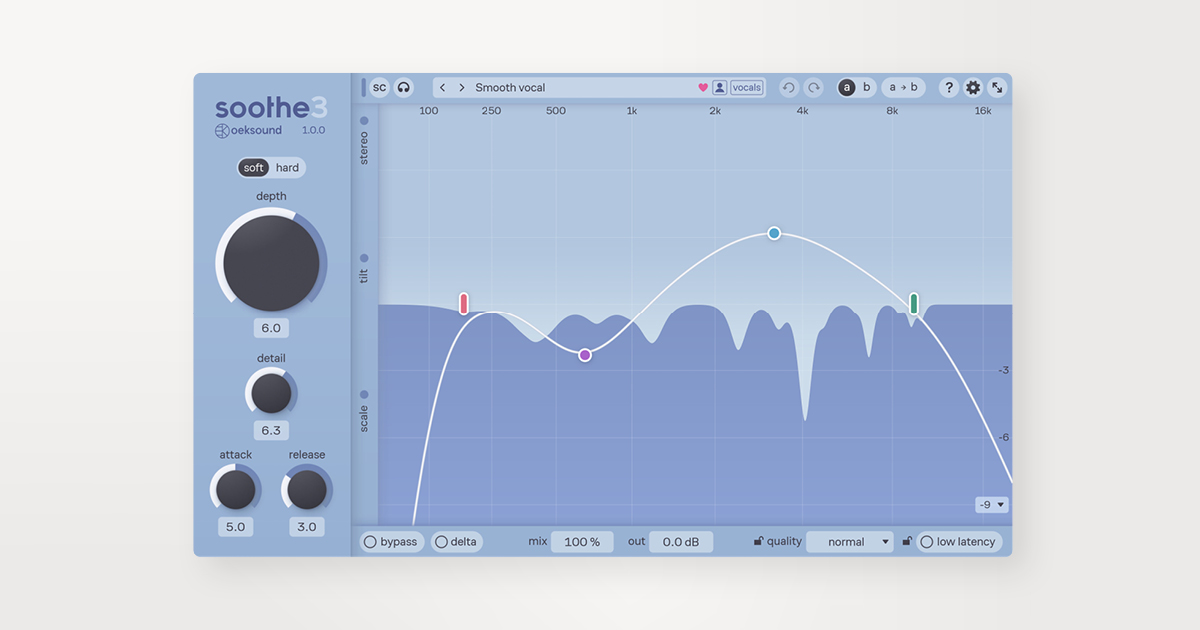
oeksound released soothe3 on May 19, 2026. According to the official announcement, the main upgrades are:
- Redesigned algorithm for more transparent processing; soothe2's sharpness/selectivity controls merge into a single detail knob
- A new low-latency mode, so you can track vocals or guitar through it while recording
- Linear-phase processing, node editing, tilt and max-cut controls, and immersive channel support up to 9.1.6
- A clearer split between soft mode (transparent default) and hard mode (compressor-like grab, or soothe2-style creative overprocessing)
Licensing uses an iLok account (no USB dongle required) with activation on up to 3 machines, and a fully featured 20-day free trial is available from the official site (all verified September 2026).
▶ soothe3 - overview (official oeksound channel)
Pricing & Upgrade Terms (as of September 29, 2026)
| Option | Price | Notes |
|---|---|---|
| soothe3 new license | $259 / €229 | Perpetual license, sold via the oeksound store |
| soothe3 Rent-to-Own | $14.90/mo × 18 | oeksound's own installment plan; perpetual license on completion |
| Upgrade from soothe/soothe2 | $55 / €50 | For owners of a perpetual soothe or soothe2 license |
| Bought soothe2 on/after Feb 18, 2026 | Free | Grace-period license for soothe3, per the official support page |
| Free trial | $0 | 20 days, fully featured. iLok account required (no dongle) |
Verified by our editorial team on oeksound's official site and support pages on September 29, 2026. New sales are consolidated into soothe3. Prices may change with sales and currency rates.
Who Should Buy It — and Who Shouldn't (Yet)
- Beatmakers and engineers finishing vocal tracks: the biggest time-saver is harsh-vocal cleanup — one license covers virtually all vocal work
- Producers working heavily with loops and samples: fixes baked-in fizz and boxiness without destructive editing
- Anyone who can't fully separate kick and 808 with EQ: the sidechain mode is the missing move
- Producers still learning mixing fundamentals: nail EQ, compression, and a solid mix template first. soothe exists for the problems basic processing can't reach — buy it when you hit that wall
FAQ
Q1. Can I still buy soothe2?
A. oeksound's soothe2 page now redirects to soothe3, and new sales are consolidated into soothe3 ($259/€229) as of our September 2026 check. soothe2's functionality carries over fully.
Q2. I own soothe2 — how much is the soothe3 upgrade?
A. $55/€50 for owners of a perpetual soothe or soothe2 license. If you bought soothe2 on or after February 18, 2026, the upgrade is free under the official grace period.
Q3. Is there a free trial?
A. Yes — 20 days, fully featured, from the official site. You need an iLok account but not an iLok USB dongle.
Q4. Can an EQ or de-esser do the same job?
A. Only partially. EQ handles fixed bands full-time and de-essers focus on sibilance, while soothe auto-detects moving resonances across the whole spectrum and suppresses them only as they occur. Tonal balance is still EQ territory.
Verdict
soothe2 automatically handles the problems EQ struggles to chase — harsh vocals, piercing hi-hats, muddy 808s — and soothe3 makes that processing more transparent and usable even while tracking. The decision is simple: soothe2 owners upgrade for $55 (free if purchased on or after Feb 18, 2026); new users grab the 20-day trial and drop it on their own vocals and beats. Try it on your own material before deciding.