How to Set Up Sidechain (Ducking): The Complete Guide
Every time the kick hits, the bass or a synth dips in volume, then springs back the instant the kick clears. That "wub-wub" pump in EDM, and the way an 808 sits in front of the kick in trap without clashing, both come down to one thing: sidechain (ducking). The idea is simple, yet how you set the attack and release is the difference between a "pro groove" and an "awkward pump."
This guide walks through it in order: the basic settings on a stock DAW compressor, curve techniques with Cableguys Kickstart 2 and ShaperBox, ducking 808s against the kick, and the mistakes beginners tend to make, all with diagrams. If you're still assembling your core plugins, see our 8 recommended free plugins too.
What sidechain (ducking) is: dipping the volume on every kick
Sidechain means using the signal from one track (the trigger) to drive the processing on another. The classic use is "ducking": lowering the volume of the bass or a synth for a split second whenever the kick hits. Kick hits, bass dips, kick clears, bass returns, and repeating that up-and-down motion creates the signature sway.
The diagram below is exactly "what sidechain is doing." The top line (the bass level) drops sharply on each kick, then eases back before the next one. The speed of the dip is the attack, and the speed of the return is the release, and dialing those two in is the heart of sidechain setup.
Why it works: clearing the kick's band for a moment
Both the kick and the 808 (sub bass) carry most of their energy in the low end, around 50-100 Hz. When they sound at once their waveforms pile up and the lows saturate into mud, burying the kick's punch and the bass's sustain alike, the classic "low-end mush."
Sidechain solves this by separating them in time. By pulling the bass back for the brief moment the kick hits, you open a gap so the kick can own the low end. Our ears are very sensitive to volume changes, so dropping the bass for even a few dozen milliseconds makes the kick cut through dramatically. It's even more effective combined with frequency separation (splitting bands with EQ), which we cover in how to mix 808s and bass.
Put another way, sidechain is traffic control for the low end using subtraction of volume. EDM leans into it hard and turns it into the groove itself, while trap and hip-hop keep it shallow to just secure the kick's punch. How much you apply changes by genre, and that's the key.
1. Compressor basics: threshold, ratio, attack, release
To get the mechanics into your hands first, try it on your DAW's stock compressor. The steps are nearly identical across DAWs. Put a compressor on the bass (or synth), and feed the kick into its sidechain input. Now the compressor reacts on every kick and dips the bass. From there it's just dialing in four knobs.
Threshold: how deep it goes
This is where the compressor starts to react. Aim for around -15 dB to begin, then lower it until the gain-reduction meter moves and you clearly hear the ducking. The lower you go, the stronger the effect. Go deeper for a showy EDM pump, shallower when you just want punch in trap.
Ratio: how hard it dips
Start around 4:1, and push to 8:1 or 10:1 if you want a stronger pump. Together with threshold, this decides "how sharply the level drops."
Attack: how fast it dips
Fast, 0-5 ms, is the default. You want the bass firmly dipped the instant the kick hits, so react quickly. That said, an extremely fast attack can add a click or a slight "pop," in which case ease it up just a touch.
Release: how fast it returns (the most important one)
Release is what defines the character of your sidechain. The rule is to match it to the kick's tempo, calculated as "one beat = 60000 / BPM ms." At 128 BPM, one beat is about 469 ms. Start around 150-300 ms and tune the release so the volume returns right before the next kick lands. A faster return feels snappy; slower feels thick and gluey. If you don't know a reference track's BPM, our BPM/key detection tool makes the math easy.
2. Volume-shaper curve techniques: Kickstart and ShaperBox
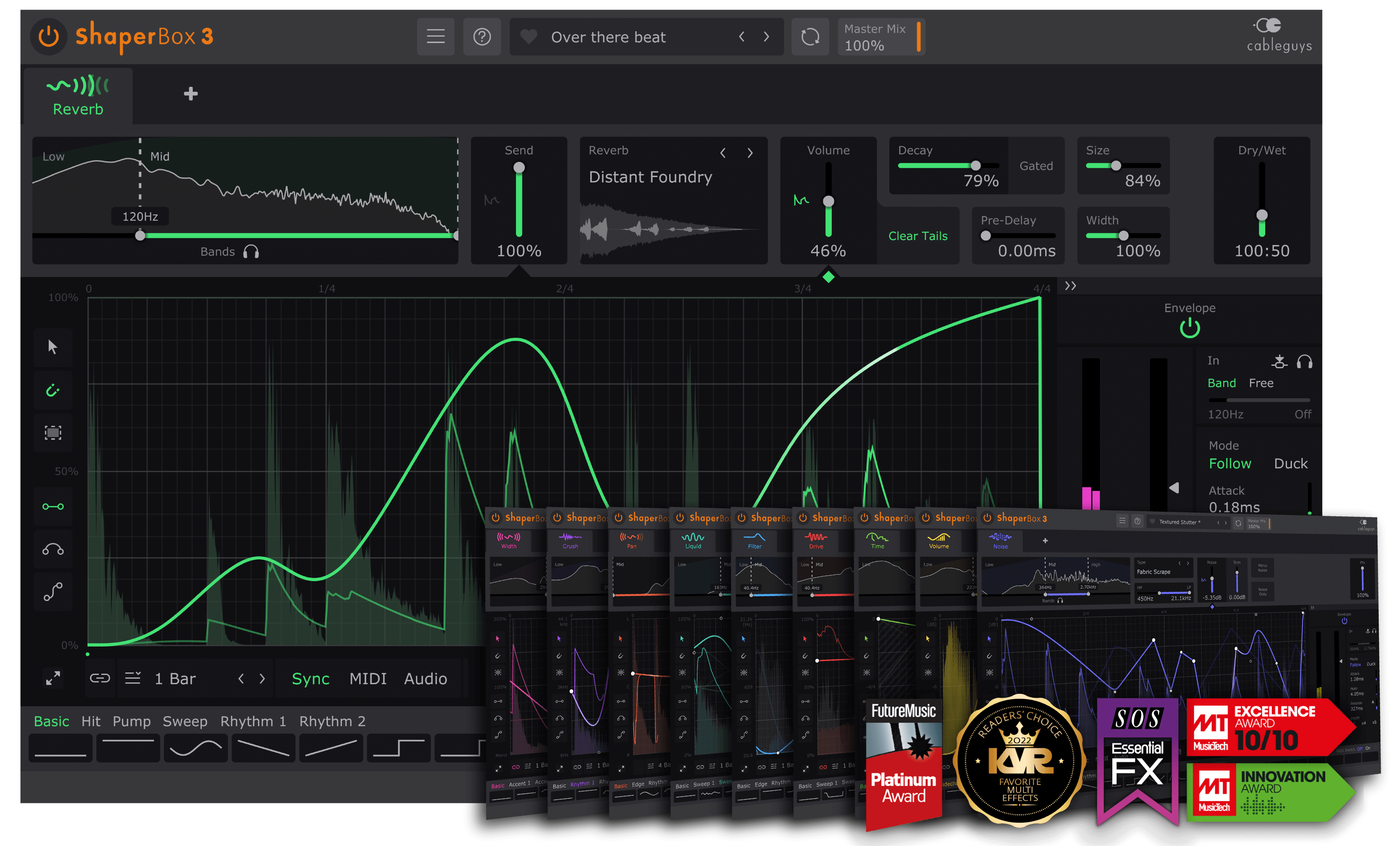
A compressor stays organic because it triggers from the kick's real audio, but dialing it in every time takes effort. That's why volume-shaper plugins, where you draw the up-and-down curve yourself, are so popular. The leaders are Cableguys Kickstart 2 and Cableguys ShaperBox: unlike a compressor, you build the "dip X ms, return Y ms" curve while watching it.
Kickstart 2: instant ducking, just drop it in
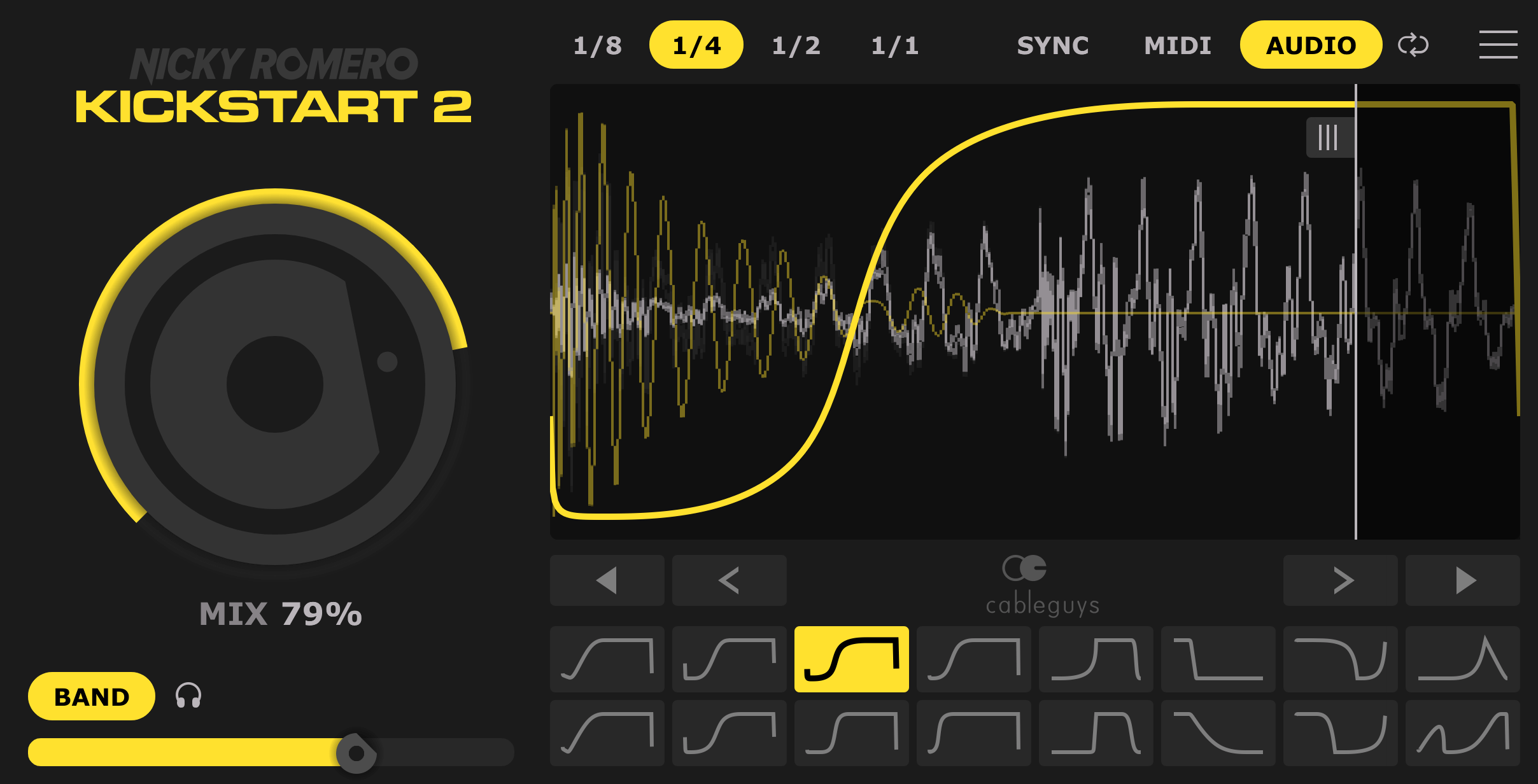
With Kickstart 2 you drop it on a bass or synth, pick a curve, and get tempo-synced ducking in an instant. Developed jointly by Nicky Romero and Cableguys, its strength is getting a pro-sounding pump from just 16 preset curves and a Mix knob (effect depth). Before you wrestle with a compressor's four knobs, this is a great way to feel "why sidechain feels good." Even when the kick isn't four-on-the-floor, audio triggering follows the actual kick.
ShaperBox: draw the curve from scratch and refine
For finer control, reach for ShaperBox's VolumeShaper. You can draw the volume curve freely, so tweaks like "shave only the head sharply" or "let the return linger just slightly" are entirely up to you. Bigger still, its multiband mode lets you duck only the low end, which pays off in the 808 separation below. The Cableguys official video below covers usage, including triggered sidechain ducking.
3. Ducking 808s against the kick
The 808 (sub bass), the backbone of trap and drill, overlaps the kick's band completely. This is where sidechain comes in. The core idea is to put a sidechain on the 808 and pull it back slightly only for the instant the kick hits. That lets the kick's attack come forward while the 808 keeps its long-tone sustain.
One trap beginners fall into here is "cutting the 808's full range too deeply." Dropping the whole range makes the 808 thin and lightens the entire track's low end. The trick is to duck only the lows (roughly below 100 Hz) with a multiband setup. Both Kickstart 2 and ShaperBox support multiband sidechain, so you can hand only the lows to the kick while leaving the mid-high harmonics (the part that gives the 808 its presence) untouched.
- Start shallow: an 808 is usually a long tone, so don't stomp it as hard as in EDM. Use the minimum that gives you punch
- Target only the lows: limit it below 100 Hz with multiband. Don't cut the full range
- Keep the release short: bring the 808's tail back quickly. Too long and the bassline's notes sound cut off
- Tune the kick too: clashing pitches make separation harder. See how to mix 808s and bass for details
If you want to fuse the kick and 808 into an even more cohesive low end, layering thinking helps too. We cover stacking drums in drum layering.
Common mistakes and fixes
Release too long or too short
This is the most common one. Too long and the bass stays stuck down and thins out; too short and the abrupt return sounds choppy. The benchmark is that the volume returns just before the next kick. Re-tune it to the tempo.
Attack too slow, burying the kick's head
With a slow attack, the kick's transient arrives before the bass has dipped, so you lose the very punch you were after. Start fast (0-5 ms), and only ease up slightly if you hear an artifact.
Overdoing it so the pump stands out
Push the threshold or ratio too far and the ducking draws attention, making the track feel busy. Use the Mix knob on Kickstart, or a shallower threshold on a compressor, and aim for "you wouldn't notice unless told" so it sits in the mix (EDM that shows off the pump is a separate case).
Cutting the full range and thinning the bass
This happens especially with 808s. Ducking the full range pulls out the low-end foundation. The rule is to narrow it to the lows only with multiband.
Relying on LFO sync when the kick isn't four-on-the-floor
In tracks with irregular kicks, like trap, leaving it to a tempo-synced LFO drifts out of rhythm. In that case use audio triggering that fires from the kick's real audio (external sidechain input). Both Kickstart and ShaperBox support it.
As a finishing step, run your bounced two-mix through our dynamics analysis (free) before release to objectively check that the sidechain isn't overdone in terms of loudness.
Summary
Sidechain (ducking) is a technique that separates the low end in time by dipping another track's volume only for the instant the kick hits. Use a stock compressor to learn the mechanics by dialing in "threshold, ratio, fast attack, tempo-synced release," and use Kickstart 2 or ShaperBox to draw a curve when you want fast, consistent results. Being able to switch between the two covers almost any situation. For 808s, the trick is a light, low-end-only multiband duck. Start by applying a gentle amount to a track you already have, and hear the moment the kick's punch changes.