IK Multimedia iLoud Micro Monitor Review (2026): The Best Ultra-Compact Monitor for Small Desks
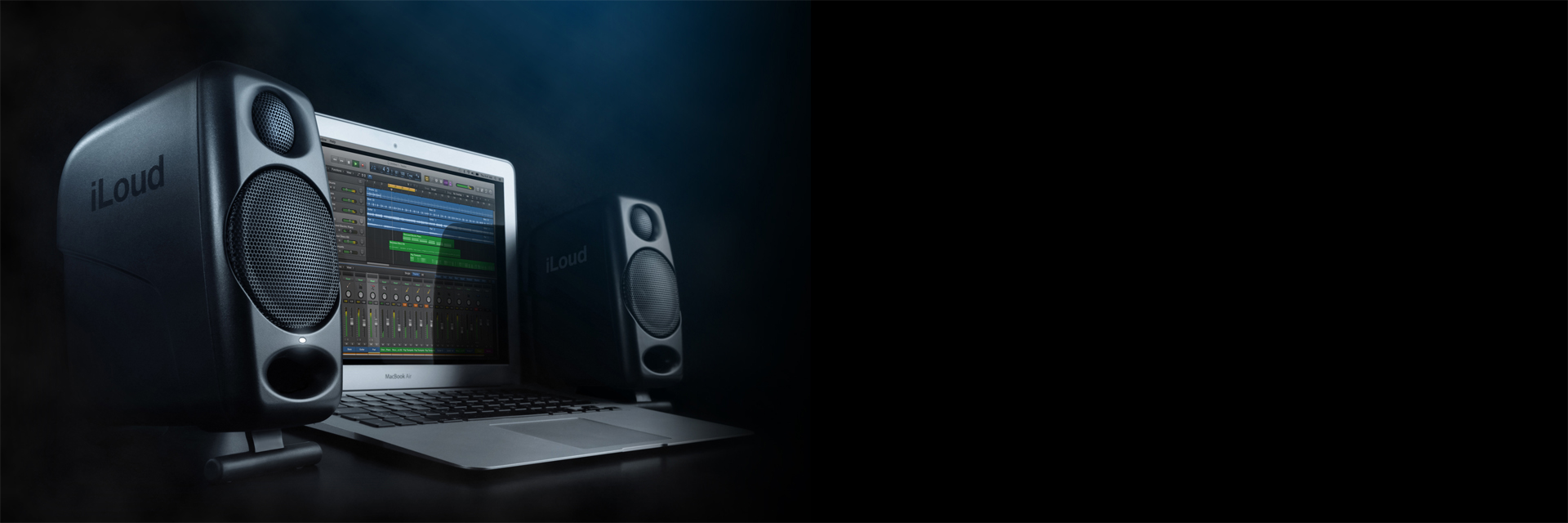
Image: IK Multimedia (official product page)
"I want real studio monitors — but my desk is barely a meter wide, and the only free space is either side of my display." If you produce in a bedroom, a dorm, or a small apartment, that's probably the most honest description of your setup.
IK Multimedia's iLoud Micro Monitor answers that problem head-on. Each speaker fits in one hand (about 180 x 135 x 90mm), yet DSP correction lets it genuinely claim the word "reference." A pair runs around €239 at Thomann / $230–300 in the US (checked July 2026).
In this guide, the Beat Lab editorial team covers why it stays accurate sitting directly on your desk, and how to decide between it and the Yamaha HS5 — everything you need for monitor shopping in a small room.
What is the iLoud Micro Monitor? The world's smallest reference monitor class
The iLoud Micro Monitor is an ultra-compact powered monitor built by IK Multimedia — the Italian company behind AmpliTube and TONEX — under the banner of "the world's smallest studio reference monitors." Each cabinet pairs a 3-inch woofer with a 3/4-inch tweeter, each driver gets its own Class D amp (four amps total), and the crossover and time alignment are handled entirely in DSP.
The key point: this isn't just "a small speaker that sounds good." It was designed from the start to sit directly on a narrow desk, with the correction needed to stay flat in that environment built in. That's the decisive difference from consumer-grade compact speakers.
Sold as a pair weighing just 1.72kg total, it's also become a go-to "portable studio" — easy to carry between apartments, studios, and writing sessions.
iLoud Micro Monitor specs at a glance
| Type | 2-way bi-amped active monitor (DSP-controlled, bass reflex) |
|---|---|
| Drivers | LF: 3" composite cone / HF: 3/4" silk dome |
| Frequency response | 45Hz–22kHz (-10dB) / 55Hz–20kHz (-3dB) |
| Output | 50W RMS total for the pair (70W peak), 4x Class D amps |
| Max SPL | 107dB SPL @50cm (both speakers) |
| Inputs | 2x RCA, 1/8" stereo mini jack (TRS), Bluetooth (A2DP) |
| Correction switches | DESKTOP (desk placement correction) / LF shelf / HF shelf |
| Placement | Built-in 2-position tilt stand, mic-stand thread (3/8" UNC) |
| Size & weight | Approx. 180 x 135 x 90mm each / 1.72kg per pair (L 920g + R 800g) |
| Sold as | Pair — around €239 / $230–300 (White Special Edition also available) |
Specs from IK Multimedia's official site; prices checked July 21, 2026 at Thomann (€239/pair) and US authorized dealers ($230–300/pair). Prices vary with sales and region.
Unlike the HS5, the iLoud comes as a stereo pair out of the box. Power is a single AC adapter into the left speaker; the right one connects with the included 4-pin link cable. No "wait, I only bought one speaker" surprises — a genuinely beginner-friendly detail.
Three reasons it stays accurate sitting right on your desk
Conventional monitor wisdom says: never put speakers directly on the desk, keep them off the wall. The iLoud gets away with breaking those rules because of how it was designed.
🎛️ The DESKTOP switch + DSP cancel desk reflections
Put a speaker straight on a desktop and reflections off the surface inflate certain frequencies, skewing your mix decisions. On the iLoud, flipping the rear DESKTOP switch tells the DSP to compensate for exactly that placement. LF and HF shelf switches then fine-tune for a close wall or a lively room. Instead of "buy first, fix acoustics later," the fix ships inside the speaker.
📐 The 2-position tilt stand aims the tweeters at your ears
The second problem with desk placement: the tweeters end up below ear level. The iLoud's fold-out base gives each cabinet two tilt angles, so the highs fire straight at your ears without stands. There's also a 3/8" UNC mic-stand thread on the bottom, so the classic "small desktop stand at ear height" setup works too.
🔊 Small drivers + short distance = more accuracy, not less
When your ears are only 50–60cm from the speakers, large cabinets work against you — the sound from separate drivers reaches your ears before it has blended. The 3-inch iLoud behaves close to a point source, so imaging stays sharp even at arm's length. And because DSP secures bass extension down to 45Hz (-10dB), "tiny speaker, invisible low end" doesn't apply. It's also a great match for producing at low volume at night.
iLoud vs Yamaha HS5: decide by desk width x listening distance
The most common dilemma in this price range: iLoud Micro Monitor or Yamaha HS5? Put the specs side by side and their characters diverge clearly.
| iLoud Micro Monitor | Yamaha HS5 | |
|---|---|---|
| Woofer | 3" | 5" |
| Response (-10dB) | 45Hz–22kHz | 54Hz–30kHz |
| Output | 50W RMS per pair | 70W per speaker |
| Inputs | RCA / stereo mini (unbalanced) + Bluetooth | XLR / TRS (balanced) |
| Desk correction | DESKTOP switch + DSP | ROOM CONTROL (LF attenuation) |
| Size & weight | Approx. 180 x 135 x 90mm, 1.72kg/pair | 170 x 285 x 222mm, 5.3kg each |
| Sold as | Pair | Usually single units |
| Street price | around €239 / $230–300 per pair | around €320 / $400 per pair |
Specs from each maker's official site; prices checked July 2026 at authorized dealers
- Pick the iLoud if: your desk is under ~120cm wide and the speakers must sit directly on it / your ears are around 60cm away / you mostly work at night at low volume / portability or a future move matters.
- Pick the HS5 if: your desk is 140cm+ or you can use stands or isolation pads with 80cm+ of listening distance / you want the classic balanced-connection setup that resists noise. See our full HS5 review for details.
- Either way: neither speaker shows you sub-bass below ~40Hz. Check the bottom octave of your 808s on monitor headphones — that's the standard workflow.
Cheat sheet: pick your monitor by desk width x listening distance
We condensed "which monitor fits my desk and listening distance?" into one chart. Bookmark it and come back whenever you're choosing speakers for a small room.
| Desk width / setup | Listening distance | Recommended | Setup tips |
|---|---|---|---|
| Up to ~100cm, directly on desk beside your display | 40–60cm | iLoud Micro Monitor | DESKTOP ON + tilt toward your ears |
| 100–120cm, on desk with a wall close behind | 50–70cm | iLoud Micro Monitor | DESKTOP ON; if the room booms, LF -3dB |
| 120–140cm with isolation pads / desktop stands | 60–80cm | iLoud or HS5 | iLoud on stands at ear height / HS5 with ROOM CONTROL -2dB |
| 140cm+ on stands or pads | 80cm–1m | HS5 | Equilateral triangle; ROOM CONTROL -2 to -4dB if the wall is close |
| Multiple locations / travel | — | iLoud Micro Monitor | 1.72kg per pair + one AC adapter — done |
Chart by the Beat Lab editorial team. Listening distance = ear to speaker. Under 1m, small drivers image more precisely; the more distance you have, the more a larger woofer pays off in low-end headroom. If you share or quote this chart, please link back to this page.
Honest downsides — and how to work around them
⚠️ No balanced inputs (XLR/TRS)
Inputs are unbalanced RCA and stereo mini only. From your audio interface, you'll connect with TRS-to-RCA adapter cables. Over desktop distances this is rarely an audible problem — just keep the runs short and away from power strips.
⚠️ Not built for big rooms or high volume
50W RMS per pair and 107dB SPL max (@50cm) is a nearfield-at-arm's-length design. If you sit far from the speakers in a larger room, or need to play loud for several people, go straight to a 5-inch-or-larger monitor like the HS5.
⚠️ Treat Bluetooth as listening-only
Bluetooth input latency is about 155ms (wired: about 1.02ms) — unusable for tracking or beat-making. Produce wired, and save Bluetooth for playing reference tracks on a break.
⚠️ Judge it as "worth this price," not "good for its size"
At around €239 / $230–300, an iLoud pair often costs about the same as — or less than — an HS5 pair in Europe, but placement is the real question. If you have room for proper stands and distance, a 5-inch monitor gives you more. If desk correction, portability, and a tiny footprint solve real problems in your room, the iLoud is the better buy, not the compromise.
FAQ
Q1. Is it OK to place it directly on my desk?
A. Yes — it's designed for exactly that. Flip the rear DESKTOP switch and the DSP compensates for the frequency buildup caused by desk reflections. The fold-out base also gives you two tilt angles, so the tweeters aim at your ears even from a low position.
Q2. Should I buy the iLoud Micro Monitor or the HS5?
A. Decide by desk width and listening distance. Desk under ~120cm with direct placement and ears around 60cm away: iLoud. Desk 140cm+ with stands or pads and 80cm+ of distance: HS5. The iLoud runs around €239 / $230–300 per pair; an HS5 pair is around €320 / $400 (checked July 2026).
Q3. Can I produce music over Bluetooth?
A. Use a wired connection for production. Bluetooth adds roughly 155ms of latency, which rules out tracking and performance monitoring. Wired input is about 1.02ms — produce wired, listen casually over Bluetooth.
Q4. How do I connect it to my audio interface?
A. Inputs are unbalanced: 2x RCA and a 1/8-inch stereo mini (TRS). Use TRS-to-RCA adapter cables from your interface's outputs. There are no balanced XLR inputs, so keep cable runs short.
Verdict: the monitor that stops "my desk is too small" being an excuse
The iLoud Micro Monitor flips the usual logic of "big monitors are correct; small ones are the compromise you make for a small room." For a narrow desk, short listening distance, and low volume — the reality of most bedroom studios — this size, with DSP correction built in, is the optimized answer, not the fallback.
If your desk is under 120cm and direct placement is your only option, it's worth choosing even over cheaper alternatives. If you can get distance and stands, go HS5 — use the cheat sheet above and pick the one that fits your actual desk. And when your mix is done, run it through our free loudness / LUFS checker.