Audio Interfaces for Beatmakers: How to Choose and 4 Recommendations
"I want to hook up monitor speakers." "I want to record raps and vocals." "I'd like to try streaming, too." — as you keep making beats, an audio interface inevitably becomes essential. But there are so many products, and prices range from a few thousand yen to hundreds of thousands, so plenty of people get lost choosing their first one.
In this article, focused on beatmakers' use cases, we organize how to choose along three axes: "I/O count," "latency" and "loopback," and introduce representative models by price band with street prices as of July 2026. As a higher-end option, we also cover the MOTU 828 (5th gen), which we review in detail on this site.
What does an audio interface actually do?
An audio interface is a converter that connects your PC to the "in and out" of sound. Specifically, it handles the following roles:
- Output: sends the DAW's audio to monitor speakers and headphones via a high-quality DA converter
- Input: brings mic and instrument sound into the DAW via a mic preamp plus an AD converter
- Low latency: uses a dedicated driver to reduce the delay (latency) when programming and recording
Built-in PC audio produces sound too, but it falls well short of a dedicated unit in monitoring accuracy, recording quality and latency. If you want to raise the accuracy of your mixing decisions, it's a piece of gear to set up first, together with monitor headphones.
The three axes for choosing
Axis 1: I/O count (what you connect at once)
The most important axis. "What you'll connect in the future" determines how many ins and outs you need.
- 1 in (one mic): sample-based production plus rap/scratch-vocal takes. The Solo class is enough
- 2 in: needed for recording a mic and guitar at once, or for stereo line recording of synths and turntables (sampling)
- High I/O (8 in or more): a style where hardware synths, drum machines and outboard stay connected at all times. This is the territory of a MOTU 828-class unit that doubles as a mixer
Axis 2: latency (comfort while programming)
The delay from hitting a MIDI keyboard or pad to hearing the sound is set by driver quality and buffer settings. As a rule of thumb, a round trip of 10ms or less feels natural to play. Among manufacturer figures, for example, MOTU publishes an RTL of about 2.5ms for the M2 (at 96kHz / 32 samples). The more heavily a beatmaker uses pads, the more directly latency performance affects the feel.
Axis 3: loopback (if you'll stream or make videos)
Loopback is a feature that routes audio currently playing on your PC (DAW, browser, call audio) back into recording/streaming software as a virtual input. It shines in beatmaking livestreams, Type Beat preview videos, and remote feedback sessions. The Scarlett Solo (4th gen) and MOTU M2 already include it, but the cheapest class often doesn't, so anyone planning to stream should check.
Beyond that, bus power (whether it runs off a single USB cable), 48V phantom power (for condenser mics), and the bundled DAW/software are also comparison points.
Recommended models by price band (as of July 2026)
[Under ¥10,000] M-Audio M-Track Solo: start as cheaply as possible
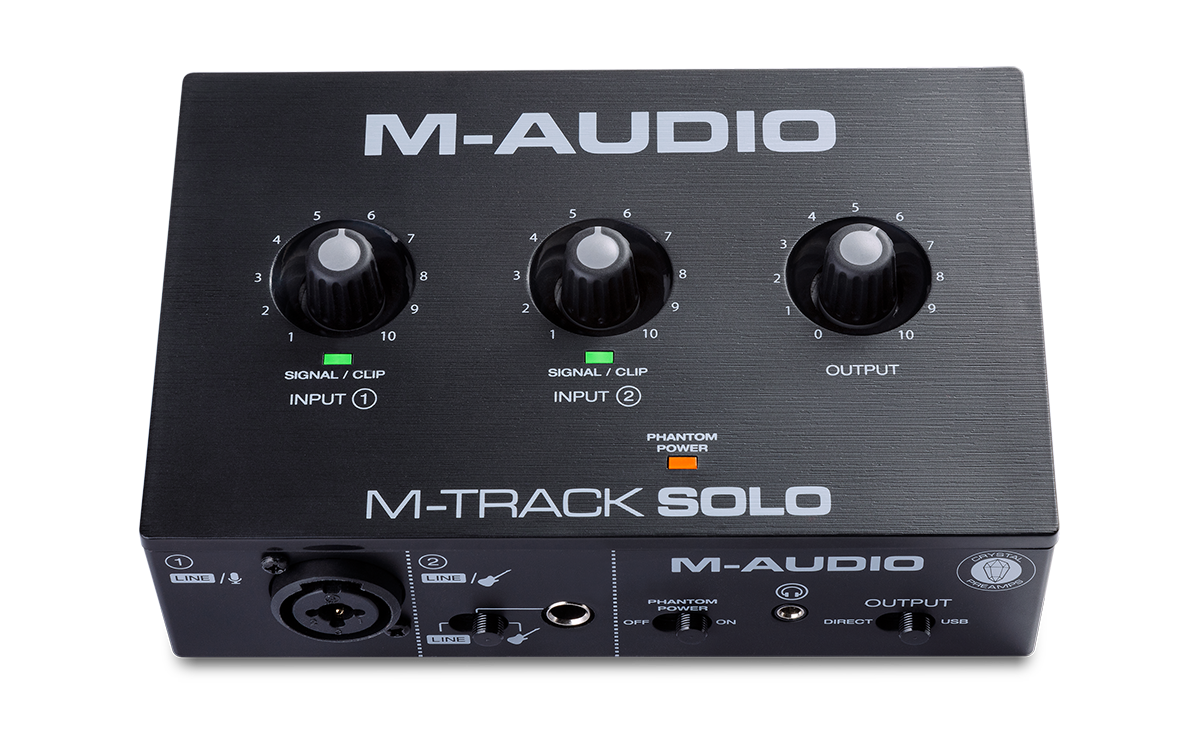
A staple entry model available for roughly ¥5,000–7,000 street price. It has one combo input with a Crystal preamp (phantom-capable), one line/instrument switchable input, RCA output and a headphone output, and runs on USB bus power. The sample rate maxes out at 48kHz, so there's a gap in recording spec versus 24-bit/192kHz higher-end units, but for "just get speakers running and connect one mic," it achieves that at minimum cost. It has no loopback. Note that the series added the higher-end "M-Track Duo HD (24-bit/192kHz)" in 2025, which is an option if your budget allows.
[Around ¥20,000] Focusrite Scarlett Solo (4th gen): the go-to when in doubt
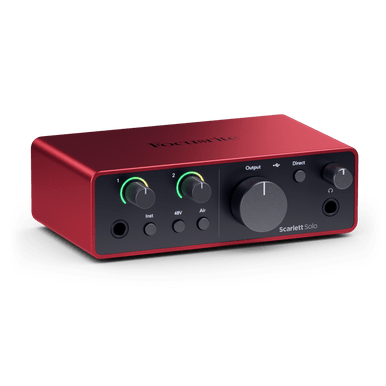
The 1-in model of the world-bestselling Scarlett series. The 4th gen is 24-bit/192kHz-capable with loopback, and its mic pre has an "Air" mode (Presence / Harmonic Drive) that adds harmonics. It's configured with one mic input plus one instrument input plus a line input, and runs on USB-C bus power. Street price is around ¥17,900 and up (as of July 2026). With a good balance of recording quality, features and the sheer amount of available info (many users, so it's easy to look things up when stuck), it's the go-to "first interface." If you want to record stereo gear at the same time as a mic, choose the 2-in Scarlett 2i2 (4th gen, street price around ¥28,600).
[¥30,000–40,000] MOTU M2: a step up in low latency and conversion quality
A compact unit from MOTU, which has a track record in high-end gear. It's equipped with the ESS Sabre32 Ultra DAC also used in higher-end models, and its 120dB output dynamic range is outstanding for the class. With a published RTL of about 2.5ms (96kHz / 32 samples), it's low-latency, and it also includes loopback, MIDI IN/OUT and highly legible full-color meters. It has two combo inputs supporting mic/line/Hi-Z, with a street price of around ¥35,970 (as of July 2026). It's a unit that suits beatmakers who "want to prioritize monitor sound quality and pad-playing response."

[High-end / expansion-focused] MOTU 828 (5th gen): the "hub" that integrates hardware
Once you reach the stage of connecting several hardware synths, samplers and outboard units, the 28-in/32-out MOTU 828 (5th gen) becomes a candidate. With an ESS Sabre32 DAC, a published RTL of about 2ms (96kHz / 32 samples), and the built-in DSP mixer "CueMix 5," its biggest appeal is that you can keep gear permanently connected without a separate mixer. Street price is around ¥180,000 (Sound House ¥179,300 incl. tax, as of July 2026). See our MOTU 828 review for details.
Spec and price comparison of the four models
| Model | Inputs / outputs | Max spec | Loopback | Street price |
|---|---|---|---|---|
| M-Audio M-Track Solo | Mic ×1 + line/instrument ×1 / RCA out | 48kHz | — | approx. ¥5,000–7,000 |
| Scarlett Solo (4th gen) | Mic ×1, instrument ×1, line ×1 / line out ×2 | 24-bit/192kHz | ✓ | from approx. ¥17,900 |
| MOTU M2 | Combo ×2 (mic/line/Hi-Z) / TRS + RCA out | 24-bit/192kHz, RTL ~2.5ms | ✓ | approx. ¥35,970 |
| MOTU 828 (5th gen) | 28 in / 32 out (incl. ADAT ×2 banks) | 24-bit/192kHz, RTL ~2ms | ✓ (DSP routing) | approx. ¥179,300 |
*Specs are from each maker's official site (m-audio.com / focusrite.com / motu.com); prices are tax-included estimates based on research at Kakaku.com, Sound House and elsewhere as of July 7, 2026. Amazon's displayed prices vary.
Conclusion: how to choose by use case
- Budget first, just build the setup → M-Track Solo. Under ¥10,000 completes a speakers-plus-one-mic setup
- Want a staple that lasts for both recording and streaming → Scarlett Solo (4th gen). The default when in doubt
- Prioritize monitor sound quality and pad-playing response → MOTU M2
- Want to integrate hardware into a studio → MOTU 828 (5th gen)
For a loudness check on your exported beats, you can use our free dynamics analysis (LUFS metering), and to check a sample's tempo, BPM & key detection. For headphones to pair with your monitoring setup, see the ATH-M50x review.
Frequently asked questions
Q1. Can I make beats without an audio interface?
A. Programming itself is possible with built-in PC audio. However, latency tends to be large, and you can't connect monitor speakers or a mic at an appropriate quality. We recommend introducing one from an entry model at the stage of setting up recording or monitoring.
Q2. How much latency is acceptable?
A. For real-time playing, a round trip of 10ms or less is the guideline. Making the buffer size smaller reduces latency but raises CPU load, so the standard is to "use a small buffer while programming and a larger one while mixing."
Q3. Do I need a loopback feature?
A. It routes your PC's playback audio straight into recording/streaming, handy for production streams and preview videos. The Scarlett Solo (4th gen) and MOTU M2 include it, but the cheapest class often doesn't, so choose a model with it if you plan to stream.
Q4. Is one input enough?
A. For sample-based production plus vocal takes, one input is enough. For simultaneous mic-and-instrument recording or line recording of stereo gear (sampling), you'll want two or more inputs; to keep multiple hardware units connected at all times, consider a high-I/O unit like the MOTU 828.
Summary
Choosing an audio interface goes more smoothly when you think in terms of the three axes "what you connect at once," "how comfortable programming feels," and "whether you'll stream," rather than the numbers on a spec sheet. M-Track Solo for entry, Scarlett Solo (4th gen) for a balanced staple, MOTU M2 for sound quality and response, and then MOTU 828 once your gear grows — this staged step-up is a lean investment order for beatmakers.