Discord for Beat Sellers: Etiquette and Designing Your Own Server
YouTube and TikTok are places that reach "people who don't know you yet," but they aren't well suited to building an ongoing relationship with someone once they've taken an interest. The go-to catcher for that in the international beatmaker scene is Discord. But let's be clear up front: Discord is not an audience-acquisition tool. There's no "build a server and your sales go up" claim in this article.
This article splits the topic into three stages — (1) etiquette when joining someone else's community (a culture that dislikes promo spam), (2) the etiquette of trading feedback, and (3) the basics of designing your own server — following the specs you can verify in Discord's official Help (as of October 6, 2026). For the YouTube-side funnel that comes before this, see designing a beatmaker's YouTube channel.
1. Discord's role: not discovery, but "maintaining relationships"
Within the overall beat-selling funnel, Discord's position is clear.
| Stage | Place | Role |
|---|---|---|
| Discovery | TikTok / YouTube Shorts | Reaches people who don't know you (short vertical videos) |
| Consideration | Main YouTube videos / BeatStars | Listen carefully, compare and buy |
| Retention | Discord | A touchpoint with regulars who hear every release, repeat customers and collaborators |
In other words, Discord works only after you already have some touchpoint via YouTube and the like. Getting the order wrong and building a "server nobody knows" first won't work. It's more realistic to start by joining someone else's server as a participant.
2. Etiquette as a participant: promo spam is disliked fastest
Music-production Discord servers have a clear shared culture: unsolicited promotion is treated as spam. Pasting a link to your beat right after joining, dropping YouTube URLs in the chat channel, sending unsolicited DMs to members — in many servers these are grounds for a kick or ban, and excessive spamming is also prohibited under Discord's Community Guidelines.
The widely-shared way to conduct yourself is simple.
- Read the rules channel first: how far promotion is allowed (whether there's a dedicated self-promo channel, frequency limits) differs from server to server
- Contribute first: give feedback on others' beats, answer questions, join the conversation. The norm of "give before you ask" is well established
- Promote only where allowed: if there's a self-promo channel, post there, following that channel's rules (frequency, format)
- Don't cold-DM to sell: pitching strangers via DM almost certainly hurts your impression, and if reported it can even put your account at risk
It looks like the long way round, but becoming "the person whose feedback is on point" or "someone you see around" in the community is generally considered the shortcut to actually getting your beats heard.
3. The etiquette of trading feedback
The biggest practical benefit of Discord for beatmakers is mutual feedback in the feedback channel. Here's how to make it work.
- Post with the points you want addressed: writing your specific questions — "808 cutting through," "the build before the drop" — raises the quality of the replies. Doing the numeric mix check with the dynamics (loudness) check tool beforehand helps you narrow the focus
- When you receive, return at the same level of detail: not just "nice," but a format like one thing that worked + one suggestion is the standard
- Watch the file size: according to Discord's official Help "File Attachments FAQ" (as of October 6, 2026), the upload limit for users without Nitro is 20MB (the company notes the limit may be changed experimentally). A few-minute MP3 usually fits, but WAV easily exceeds it, so share previews as an MP3 export or an unlisted link
- Add a tag before sharing: for audio you put in a place anyone can hear, add a producer tag as a precaution against unauthorized use. The Producer Tag tool can auto-insert one at set intervals
4. Designing your own server: build small, grow with Community features
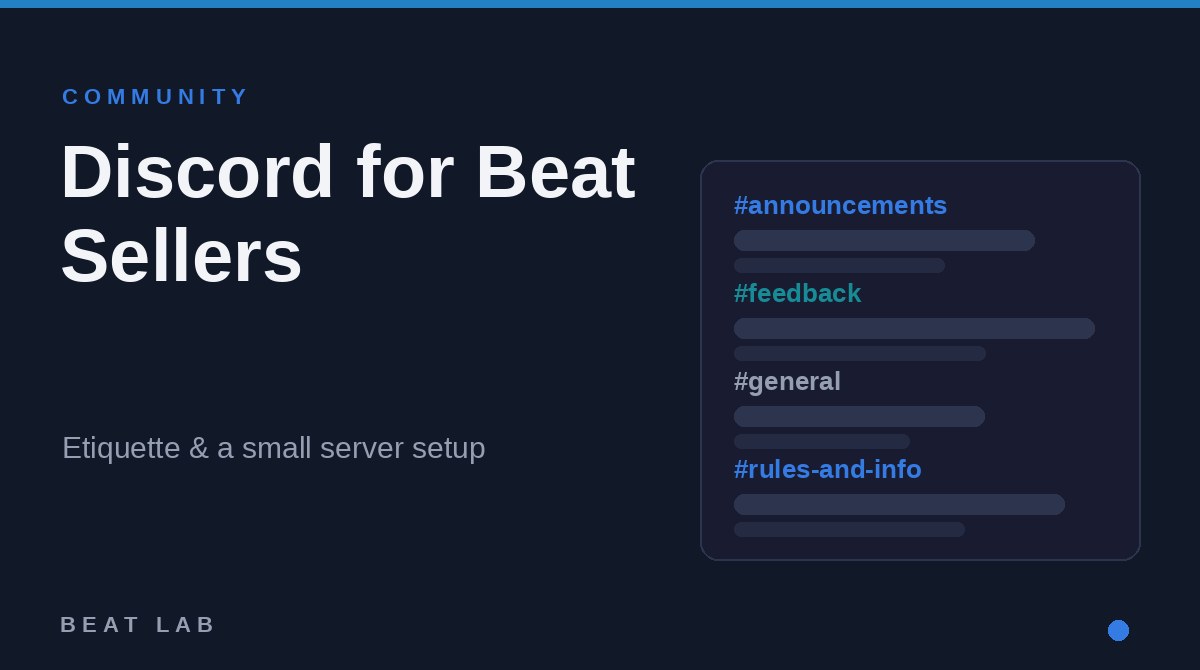
Four channels are enough at first
Even once you reach the stage of having your own server, you don't need a large structure from the start. A server full of empty channels looks dead, which is actually counterproductive. A minimal example:
- #rules-and-info: rules, plus a link collection for BeatStars, YouTube and socials
- #announcements: notices of new beats, sales and video releases (only you post here)
- #general: chat
- #feedback: mutual feedback with participants
Roles can start as a simple self-assigned "Producer" / "Artist" too. Perk channels for buyers (early previews, etc.) can wait until actual buyers show up.
What Community features unlock (official specs)
According to Discord's official Help "Enabling Your Community Server" (as of October 6, 2026), enabling Community from server settings unlocks management tools like the following.
- Announcement channels: special channels members can "follow" to receive your notices in their own server
- Server Insights: analytics that show things like member retention and conversation activity
- Community Onboarding: an intake flow where new members answer questions to choose their own roles and visible channels
- Server Discovery: listing in Discord's in-app server search. However, the official note states it's currently limited to servers with 1,000+ members and Partner / Verified servers
Enabling it requires meeting requirements such as a verification level that mandates member email verification, scanning of inappropriate media, and setting up rules and moderator channels (per the same Help). It isn't required while you're small, but once your announcement format settles, it's worth enabling for the announcement channels.
5. Invite funnels and tips for keeping it going
Put the entrance to your server in every touchpoint you already have: your YouTube channel and video descriptions, your BeatStars profile, and your TikTok / Shorts profile links. For the video and metadata side, see the complete Type Beat YouTube SEO guide and the length, structure and posting frequency for Type Beat videos.
The widely-shared tips for keeping operation going are these three.
- Decide on one axis of updates: even just "every new release goes in #announcements" keeps the server feeling alive
- Run small events: a "beat battle" where people make and compare beats on the same prompt (a sample or BPM), or a "listening session" for new releases, work even with few people
- Don't chase member count: a Discord server is a place for retention, not acquisition. Even 10 people is plenty if they're 10 who listen every time
Frequently asked questions
Q. Is it free to create a Discord server?
A. Creating and running a server is free. If you meet requirements such as setting up a rules channel and requiring members to verify their email, you can also enable the Community feature for free, which unlocks management tools like announcement channels, Server Insights and onboarding for new members (as of October 6, 2026, Discord's official Help). Paid Nitro is mainly a personal feature upgrade and is not required to run a server.
Q. Can I promote my beats in someone else's server?
A. It depends on that server's rules. Many music servers have a dedicated self-promo channel, and promoting elsewhere, promoting right after joining, or sending unsolicited DMs is disliked and commonly results in a kick or ban. The basics are to read the rules first, contribute through conversation and feedback, and only share where it's allowed. Excessive spamming can also be an issue under Discord's Community Guidelines.
Q. Can I send beat audio directly for feedback?
A. According to Discord's official Help (as of October 6, 2026), the file upload limit for users without Nitro is 20MB (the company notes the limit may be changed experimentally). A few-minute MP3 usually fits, but WAV easily exceeds it, so for previews it's practical to export to MP3 or share an unlisted link. As a precaution against unauthorized use, it's also a good idea to add a producer tag before sharing.
Q. Will creating a Discord server bring me new audience?
A. A Discord server has little power to bring in new people on its own and does not guarantee audience growth. Its role is building an ongoing touchpoint with people you meet on YouTube, TikTok and elsewhere. Even with few members, it works well if you maintain relationships with regulars who listen to every release and repeat customers. Focus less on member count and more on whether minimal channels like announcements and feedback are active.
Summary
- Discord's role is retention, not acquisition. It's not a tool that promises results
- In others' servers: read the rules → contribute → share only where allowed. Promo spam and cold DMs lose trust fastest
- Post feedback with your specific points, and return at the same level of detail. Files are capped at 20MB without Nitro (as of October 6, 2026, official Help); add a tag before sharing
- Start your own server with a minimal four-channel setup. As it grows, use Community features for announcement channels and Server Insights
- Put entrances in your YouTube description, BeatStars and short-video profiles. For the funnel that comes before this, see designing a beatmaker's YouTube channel