Waves IDX Review — One Knob for Instant Mix Clarity: Intelligent Dynamics
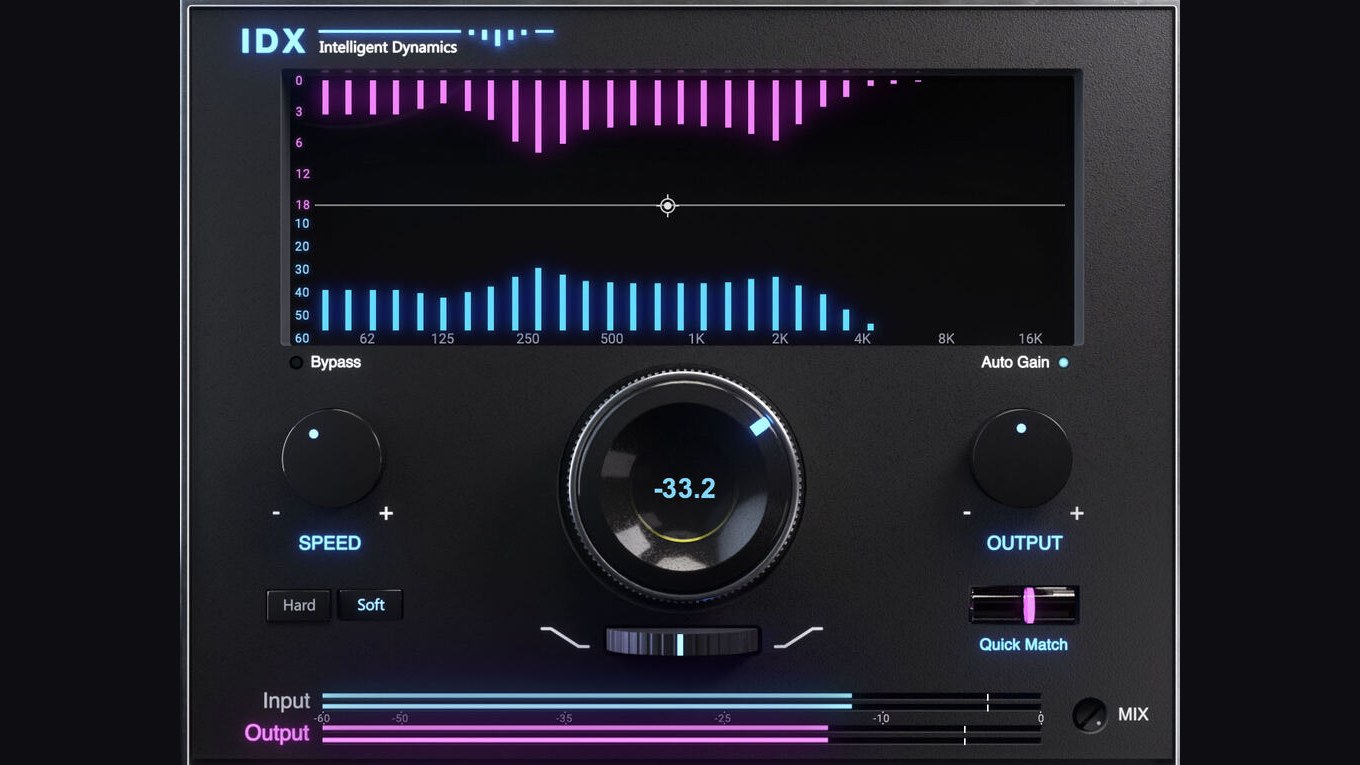
Image: Waves Audio Ltd. (from the Plugin Boutique product page)
"The kick and bass blur together and turn muddy…"
"The sample I chopped for the top line just doesn't cut through and gets buried under everything else…"
"Dialing in a multiband compressor or a dynamic EQ is such a hassle!"
If you make beats, have you ever hit a wall in the mix like this? It's a real shame when a great phrase finally comes to you, only for your motivation to drain away while you get stuck in the mud of tweaking the sound.
The tool that solves those headaches in one shot is IDX Intelligent Dynamics, which Waves released at the end of 2024.
It has made plenty of noise in reviews at home and abroad since launch, but frankly it is the ultimate time-saving, quality-boosting tool for beatmakers specifically. It is so convenient that these days the editorial team reaches for it on many tracks in a project.
This is a thorough review of IDX from a beatmaker's point of view, covering the points that won us over and exactly how to use it.
The verdict: 3 reasons beatmakers should get IDX right now
Before the fine details, here are three reasons this plugin is unbeatable for beatmaking.
- Just turn the knob and the frequency range you want people to hear naturally moves to the front.
- It instantly and automatically tames unwanted muddiness (low-mid cloudiness and the like).
- Time spent agonizing over tone drops to zero, so it never kills the momentum of a beat session.
In a word: "you raise the knob, lightly point it at the range you want to target, and the unnecessary ranges fade back while only the range you want to hear is naturally emphasized." That feel is genuinely satisfying.
What is IDX Intelligent Dynamics?
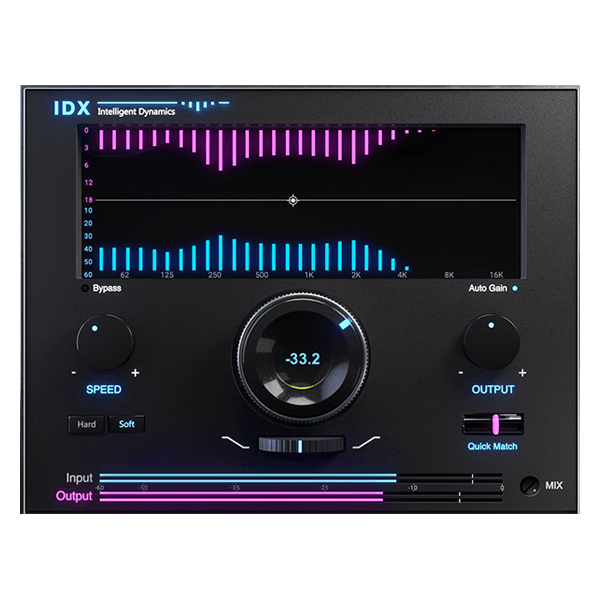
IDX Intelligent Dynamics is an "intelligent, frequency-dependent compressor" developed by Waves. Officially it is also introduced as a "smart energy optimizer."
"That's a mouthful of a name," you might think, but essentially it is "a knob that analyzes the sound and keeps applying band-dependent compression in a wonderfully musical way." That's the mental model to keep.
Just push up the big main knob in the center (which is actually the threshold) and processing kicks in, automatically taming the energy of a track's unwanted ranges while drawing out the instrument's inherent power and definition. The official tagline is even "Instant mix vitality from a single knob."
[Hands-on review] What we loved: "here's where IDX shines" from a beatmaker's view
1. The thrill of the target range being emphasized "naturally"
Our favorite thing about this plugin is "how overwhelmingly natural the processing is."
When you boost a specific range with an ordinary EQ, the unwanted components get lifted too, and the sound turns harsh or floats unnaturally, right?
IDX, on the other hand, lets you raise the knob and specify the range you want to prioritize (the Priority Band), and to make that range stand out it cleverly pulls back "the other, unwanted energy (bands)." Instead of forcibly boosting, it varies how compression is applied per band so the lead relatively stands out, which means no matter how far you push the knob the sound rarely falls apart, and the lead comes forward clearly and naturally, "as if it had been recorded that way from the start."
2. This is all you do: a super-simple 3 steps
If you thought "this looks like a complicated plugin," don't worry. The usual workflow honestly comes down to just these three steps.
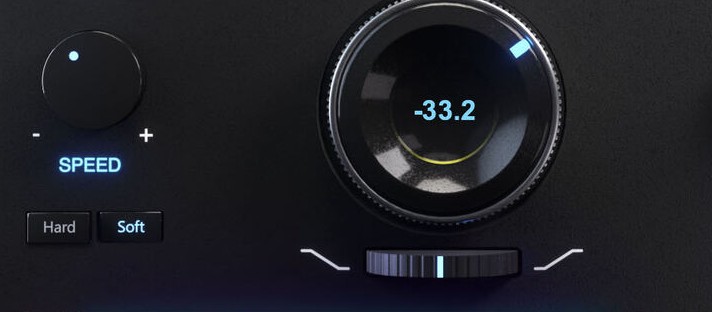
- Step 1: Press "Hard" or "Soft" to match the source.
For drums, 808 bass, and anything where you want punch and attack, press "Hard" first. For chopped top lines, synths, vocals, and anything you want to blend in naturally and smoothly, press "Soft." Technically this switches the compressor's "Knee," and Waves describes Hard as "for fast-transient sources like drums" and Soft as "a smoother, slower response" (a separate "Speed" control changes attack/release together). - Step 2: Firmly push up the big knob in the middle.
That alone starts the intelligent processing, and the track's muddy, unwanted bands get suppressed automatically. - Step 3: Choose the range to prioritize with Tilt.
Its full name is "Priority Band Tilt." It tilts the priority band toward the highs or lows like a seesaw: tilt it toward the highs to brighten and open up the sound, or toward the lows to make it thicker and heavier. The lead band gets emphasized with surprising naturalness.
There's absolutely no need to sweat the fine details like "the attack time…" or "the crossover frequency…" the way you do with a multiband compressor!
3. The ease of "just dropping it on the front of your main tracks"
Because it improves the sound so much, lately when building a beat it often goes first in the chain (the first insert) on the main tracks: kick, bass, hi-hats, sample top lines, and so on.
By using IDX to clean up each track's "murk" in advance and lay a clean foundation, the separation of the sound in the 2-mix is far better from the very start. On our own machine setup (an Apple Silicon Mac), we've never found the CPU load an issue even as the track count grows.
The "hidden benefits" you can spot in the official specs
Benefit 1: "Quick Match" for leveling input and output is handy
When you switch an effect on, it often just "sounds better because it got louder" (the loudness illusion), doesn't it?
IDX has a "Quick Match" button that levels the volume before and after processing (the input/output levels) with a single click. And if you want it to track continuously, there's also a separate on/off "Auto Gain (automatic make-up gain)." With these two, you can calmly judge purely "how the sound quality actually improved."
Benefit 2: A zero-latency "IDX Live" is bundled in
IDX also ships with a zero-latency "IDX Live" component.
So you can tap out a beat in real time on a MIDI keyboard or MPC pads while playing the sound with IDX applied. That's a huge benefit for beatmakers. Note that, per Waves, the Live version sounds slightly different from the standard version, mainly in the low end.
Practical uses in beatmaking and recommended tracks
1. 808 / bass tracks (first button: Hard)
When you want to keep the low (sub-bass) core solid while cleanly bringing up only the "mid-high distortion / saturation components" that let it be heard even on phone speakers, set IDX to "Hard," push the priority band (Tilt) a little higher, and raise the knob. The excess low-mid mud is tamed, and the separation from the kick becomes perfect.
2. Sample phrases / top lines (first button: Soft)
Material sampled from old records like jazz is cool and lo-fi, but the sound inevitably tends to get boxy. Insert IDX in "Soft" mode and tilt the priority band toward the highs, and the sample transforms in an instant into an "open, cutting sound" that fits modern trap and boom bap while keeping its vintage texture.
Price and bundle info
| Retailer | List price | Sale price |
|---|---|---|
| Plugin Boutique (Japan, in JPY) | ¥13,770 | ¥6,218 (55% OFF) |
| Waves official (waves.com) | $79 | Around $34.99 (varies by sale) |
*Prices as of July 5, 2026. Since Waves runs sales nearly year-round, the "street price during a sale" is effectively the going rate. List prices are displayed differently by store.
- Bundle inclusion: Included in Horizon and Mercury. Also available via the Waves Creative Access subscription (Essential / Ultimate) (as of July 2026).
Honestly, are there any drawbacks?
We've been full of praise, but there is one thing to watch out for.
- It's so convenient that relying on it alone can flatten the character of the original sound.
The flip side of automatically giving you a "clean sound with nothing missing and nothing excessive" is that if you push it too hard, it can smooth away even the "deliberately dirty, edgy parts" the sample had.
[The fix] If you feel it "got too clean," lower the "Mix" control (the wet/dry adjustment for parallel processing) at the bottom of the UI a bit and blend back about 30% of the unprocessed original signal. The rawness of the original combined with IDX's smart clarity makes for the strongest sound possible!
Frequently asked questions
Q1. What kind of plugin is Waves IDX?
Waves officially describes it as an "intelligent, frequency-dependent compressor." It lets you drive band-dependent compression from a single large knob (the threshold), optimizing a track's energy to add punch and focus.
Q2. How is it different from a multiband compressor or a dynamic EQ?
You don't need to set crossover frequencies or per-band attack/release. Using only the main knob and the Priority Band Tilt, you can keep the band you want up front while suppressing unwanted energy. It stays intuitive even if you dislike fiddling with detailed parameters.
Q3. Can it be used for real-time playing (programming)?
Yes. IDX ships with a zero-latency "IDX Live" component, so you can play in real time on a MIDI keyboard or pads while monitoring the processed sound. Note that, per Waves, the Live version sounds slightly different from the standard version, mainly in the low end.
Q4. Is IDX included in any Waves bundles?
As of July 2026 it is included in the Horizon and Mercury bundles, and it is also available through the Waves Creative Access subscription (both the Essential and Ultimate tiers). Since the single-product sale price is cheap, buying it standalone is plenty if you don't need other Waves products.
Wrap-up: Cut your mix-agonizing time to zero and crank out beats!
Waves IDX Intelligent Dynamics is a "magic knob that makes sounds crisp" for beatmakers, going beyond a mere compressor or EQ.
With it, you're freed from the tedious band setup of a multiband compressor and the EQ tweaking that so easily turns into a swamp. You can pour all that saved time into "coming up with new beat ideas," so both the speed and quality of your beat output climb dramatically.
If you don't have it yet, definitely check it out. You'll seriously never want to let it go! You can also confirm the latest price and sale info on the Plugin Boutique product page.
Waves IDX Intelligent Dynamics