Arturia Analog Lab & Pigments Review|The Fast Track to Melody Sounds
You can lay down drums and 808s in no time, yet you stall while hunting for the right topline sound (melody, chords, textures). For beatmakers, this is actually where the most production time evaporates. Analog Lab and Pigments from France's Arturia are two answers to this "topline sound problem."
In this article, the Beat Lab editorial team checked Arturia's official site as of July 8, 2026 and lays out Analog Lab's current edition lineup and preset counts, what's inside Pigments 7, and which one you should choose for topline use in beats. Read it alongside our review of Serum 2, another go-to synth for toplines.
・Want to design sounds no one else has → Pigments 7 ($199)
Not sure? Start with the free Analog Lab Play to feel the sound, then grab Pro on a sale. That's the fastest route.
What Is Analog Lab|A Giant Preset Collection You Just "Pick From"
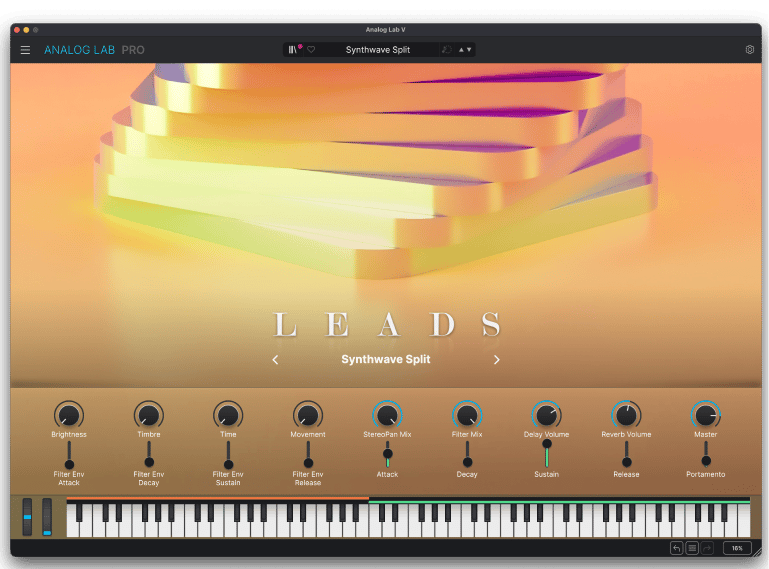
Analog Lab is essentially a "catalog of legendary sounds" that extracts only the presets from Arturia's flagship vintage-gear emulation suite "V Collection" and bundles them into a single plugin. Sounds derived from emulations of classics like the Minimoog, Jupiter-8, DX7 and Rhodes-style electric pianos (officially stated as 28+ synths and keyboards) can be searched and played from one browser.
The current lineup has three tiers (confirmed on Arturia's official site as of July 8, 2026).
- Analog Lab Play (free): 100 presets. Plenty for first checking the sonic direction
- Analog Lab Intro ($99): 500 presets plus added features like effects and Multi editing
- Analog Lab Pro ($199): 2,000+ presets. Supports two-source layer/split, Type/Style/Genre search, and even a Stage mode for live use
The key point is searchability. Because you can filter by type, texture and genre like "Keys / Warm / Lo-Fi," you can go from "roughly this kind of sound" to candidate presets in tens of seconds, which is its greatest value in topline work. Once you pick a sound, you just fine-tune brightness or ambience with four macros; it's a deliberately pared-down design.
What Is Pigments|The Flagship for People Who Want to Start From Sound Design
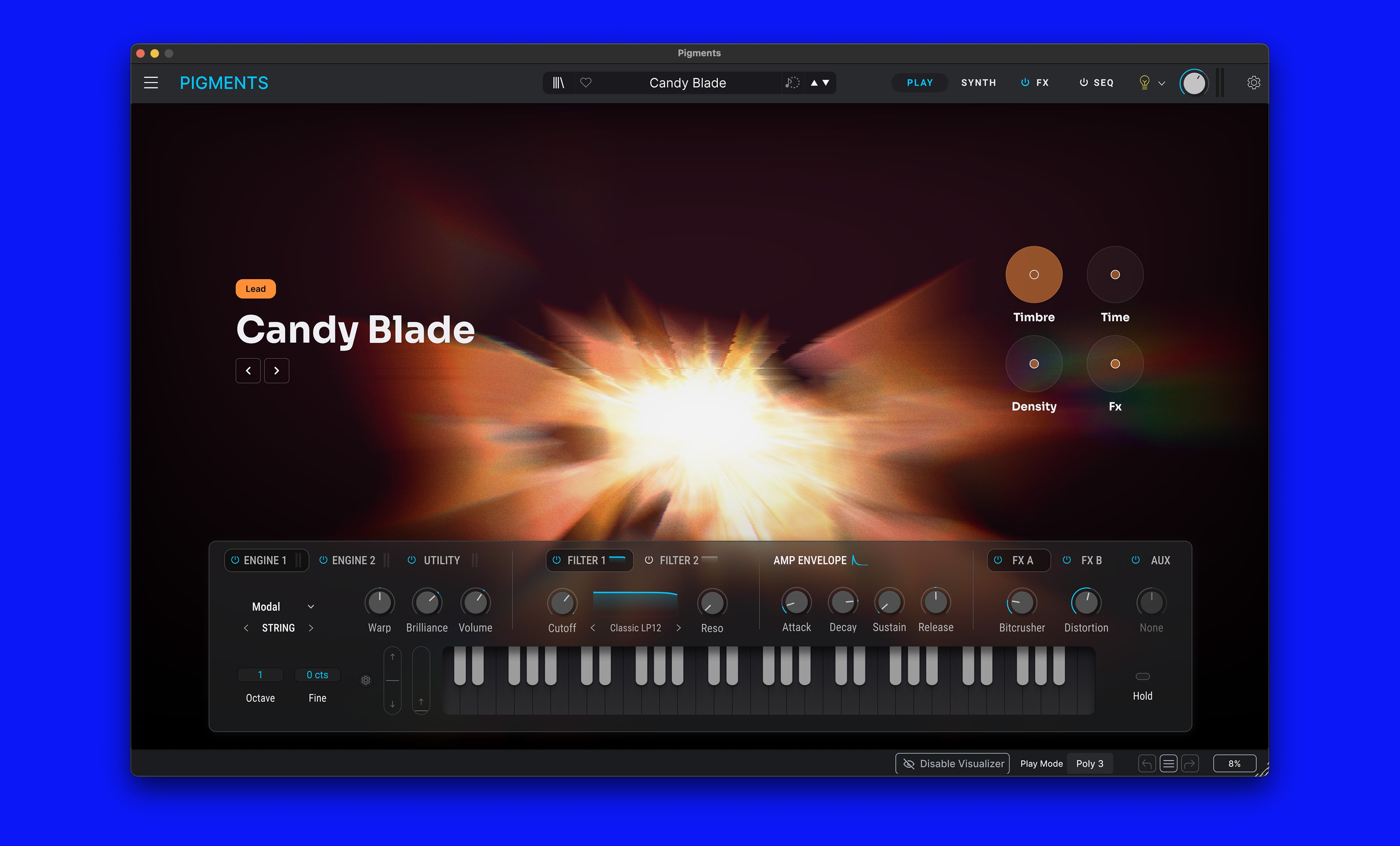
Pigments, on the other hand, is a flagship soft synth Arturia developed from scratch. The current version is Pigments 7, at a regular price of $199 (officially confirmed as of July 8, 2026). According to the official page, you can combine six types of synthesis engines—Virtual Analog, Wavetable, Sample, Granular, Harmonic (additive) and Modal (physical modeling)—in two parallel slots, with over 1,700 presets, drag-and-drop modulation, and a generative sequencer and arpeggiator. For a deeper look at Pigments on its own and how it compares to Serum 2, see our Pigments 7 review.
From a beatmaker's perspective, Pigments is a synth where you can design topline materials—plucks, bells, pads, textures—by your own hand. Since you can also use it in a sample-mangling way, such as dropping a one-shot into the granular engine to build a wavering texture, it suits people who want to step up to making toplines without relying on melody loops.
Price & Edition Quick Reference (as of July 8, 2026)
| Product | Regular Price | Contents |
|---|---|---|
| Analog Lab Play | Free | 100 presets. For trying it out |
| Analog Lab Intro | $99 | 500 presets plus effects/Multi editing |
| Analog Lab Pro | $199 | 2,000+ presets, layer/split, Stage mode |
| Pigments 7 | $199 | 6 synthesis engines, 1,700+ presets, MPE/NKS support |
| V Collection 11 Pro | $699 | 45 full instruments plus 12,000+ presets |
*Confirmed by our editorial team on Arturia's official site (USD pricing) on July 8, 2026. Prices vary with sales and exchange rates. We also confirmed the same amount ($199) on Plugin Boutique as of the same date.
And Arturia is known as a maker that often runs large seasonal sales. At the time of our check both products were at regular prices, but if you are not in a hurry, waiting for a sale is a strong option. We plan to keep the latest sale status updated on our site's sale-info page.
Analog Lab vs Pigments: How to Choose for Beats
Analog Lab suits you if: you want to minimize "search time"
In a workflow of mass-producing type beats, the time you can spend picking a sound per track is limited. Because Analog Lab Pro lets you filter 2,000+ presets by genre and texture, its strength is that you can settle the foundation of your topline by simply "playing and picking." A practical bonus: electric pianos, analog pads, bells and other sounds that never quite match the key in sample packs can be played in your own key and BPM. To find the key of a reference track, our BPM & Key detection tool (free) comes in handy.
Pigments suits you if: you want to make sounds no one else has
Preset sounds are, naturally, used by other people too. If you want to craft signature leads or textures that become the signature of your beat, Pigments—with its six combinable engines—has far more room to grow. Its drag-and-drop UI for assigning modulation is highly visual, and it's a design that is also praised as a teaching tool for synth beginners learning sound design.
If you want an all-in-one, single-track time saver, there's another approach
If you're the type whose time melts away on drums before you even reach the topline, another route is to start from time-saving instruments like the UJAM Beatmaker series, where a single track lays down the foundation of a beat. Splitting roles—toplines with Analog Lab, drums with Beatmaker—can dramatically change your production speed.
Pros and Cons
- Pros: Cost per preset is overwhelmingly low (about 10 cents per preset in Pro terms) / high searchability saves time / the free Play lets you check the sonic direction in advance / Pigments is highly extensible with MPE and NKS support
- Cons: Analog Lab can't do deep preset editing (full editing requires V Collection or Pigments itself) / since it centers on vintage sounds, cutting-edge EDM and hyperpop sounds are better handled by Serum 2 and the like / the library size is on the large side
Frequently Asked Questions
Q1. Which should I buy first, Analog Lab or Pigments?
A. If you want to mass-produce toplines by simply picking a preset and playing it, Analog Lab suits you; if you want to learn sound design itself while creating your own sounds, Pigments is the better fit. Both are normally $199 (as officially shown as of July 8, 2026), so the safest first step is to check the sonic direction with the free Analog Lab Play.
Q2. If I buy Analog Lab, do I still need V Collection?
A. If you only pick and use presets, Analog Lab Pro is mostly enough. If you want to open each instrument's parameters and edit them, you need V Collection 11 (Pro $699 / Intro $199). Arturia explains that V Collection owners can open the full versions from within Analog Lab. We plan to cover a detailed review of V Collection itself in a separate article.
Q3. Are there free versions?
A. Analog Lab has a free Analog Lab Play (100 presets). Pigments has no permanent free version, but you can try a demo from the official site. If you want to build a production setup for zero cost, see our guide to building a $0 beatmaking setup as well.
Q4. Should I wait for a sale?
A. Arturia is known as a maker that often runs large seasonal sales, so if you are not in a hurry, waiting is a very reasonable option. At the time of our editorial check (July 8, 2026), both were at regular prices.
Summary
To minimize your topline sound hunt, go with Analog Lab Pro; to make sound design itself your own weapon, go with Pigments 7. Both are $199, and Arturia is kind enough to provide the free Analog Lab Play as an entry point. First touch the 100 presets in Play, and once you're convinced "I want sounds in this direction," step up to Pro or Pigments during a sale. That's the fast track as the editorial team sees it. When finishing up, don't forget to check loudness with our Dynamics analyzer (free).