Scaler 3 Review: How Far Has the Chord Progression Standard Evolved? Price & Free Trial (2026)
When it comes to chord progression plugins, one name comes up first: Scaler. Its current version, Scaler 3 by Scaler Music, arrived in March 2025 and turned the tool from a "chord-finding plugin" into a full songwriting workstation that builds chords, melodies and basslines — and it's still getting free updates in 2026 (currently the 3.3 series).
In this article, the Beat Lab editorial team checked the official Scaler Music site and the Plugin Boutique product page as of July 20, 2026, and breaks down Scaler 3's new features, pricing, and how to try it for free. We've also put together a comparison table between Scaler 3 and our own free chord progression generator (chordlab) — use it as a simple decision rule: start free, and buy Scaler 3 once you hit the free tool's ceiling.
What is Scaler 3? From chord finder to songwriting workstation
Scaler shows you which chords fit a given scale, so you can build progressions without knowing theory. Its predecessor Scaler 2 became the de facto standard for chord assistance worldwide — the official site carries endorsements from artists like Jean-Michel Jarre and Carl Cox.
The biggest change in Scaler 3 is not a version bump but an expansion of its role. According to the official feature list, on top of building progressions it now covers a timeline with dedicated lanes for melody, bass and phrases, hosting of third-party VST/AU plugins, and standalone operation without a DAW. Think of it as evolving from "a chord dictionary inside your DAW" into "a sketching environment that gets you most of the way to a track."
New features: what you can do now
1. A redesigned three-page workflow: Browse / Create / Arrange
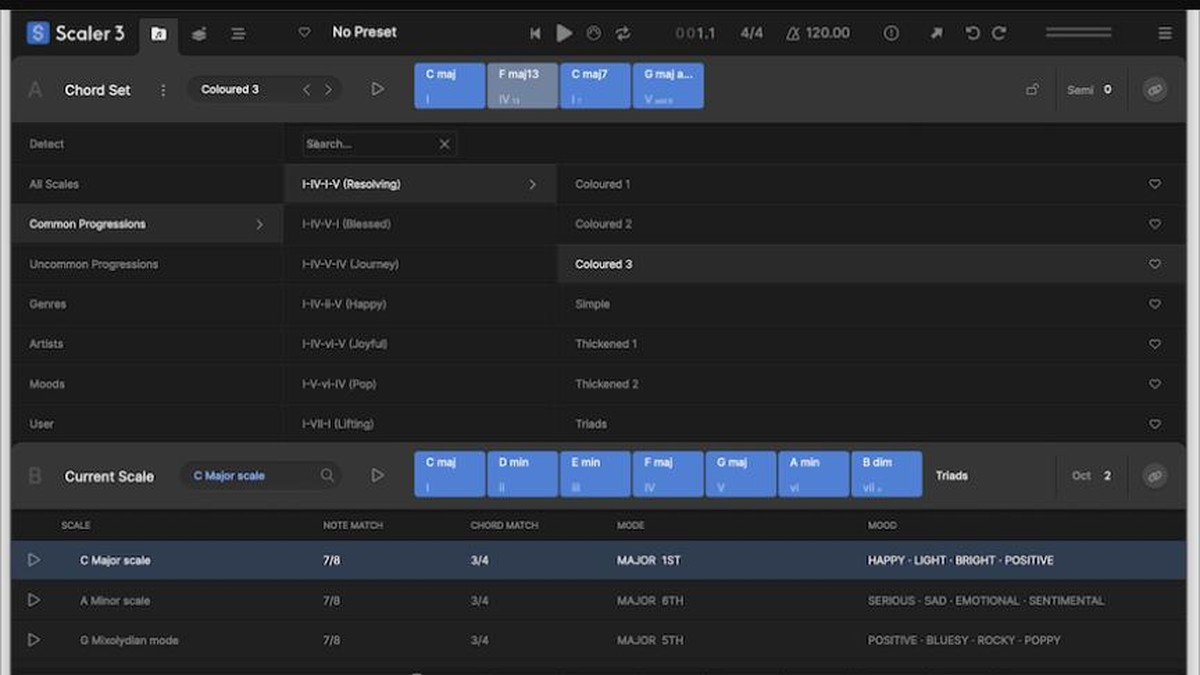
The interface is reorganized into three pages: Browse (find chord sets and scales) → Create (build progressions) → Arrange (lay out a song). Over 1,000 chord sets are organized by mood, genre and artist — including artist sets from Carl Cox, MJ Cole and The Temper Trap. With next-chord suggestions and automatic voice leading, progression building now flows naturally from one screen to the next.
2. Standalone app and plugin hosting
Scaler 3 now runs as a standalone app on Mac and Windows, and it can host third-party VST/AU instruments and effects directly inside itself. That means you can sketch chords and melodies with your own synths without ever opening a DAW — a headline feature that simply didn't exist in Scaler 2.
3. Motions and the multi-lane timeline
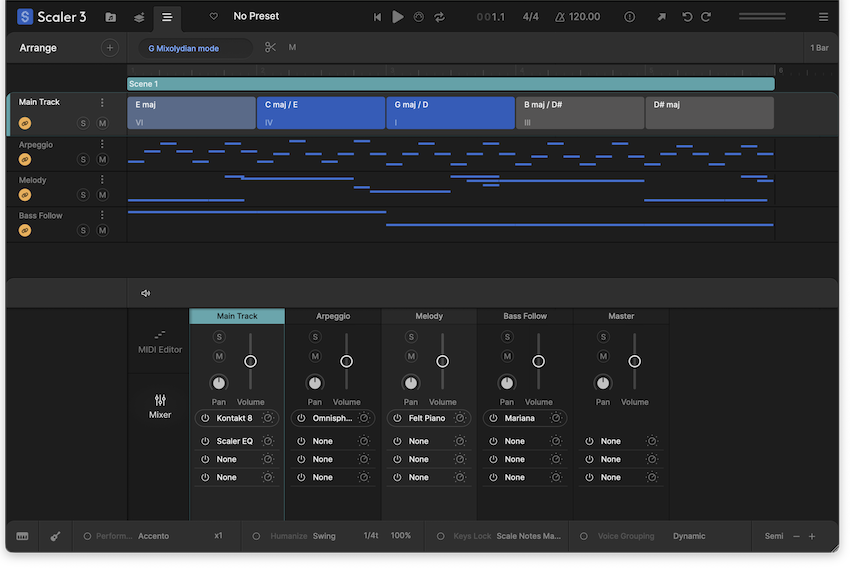
The old Phrases and Performances have been reimagined as Motions: musician-crafted melodies, arpeggios, basslines and phrases, browsable by mood tags and droppable onto your progression. The Arrange page adds a timeline with dedicated lanes for chords, melody, bass and phrases, all synced to the chord track — swap a chord and the top lines follow, which makes iterating on progressions extremely fast.
4. Explore, Colors and modulation suggestions: theory made visible
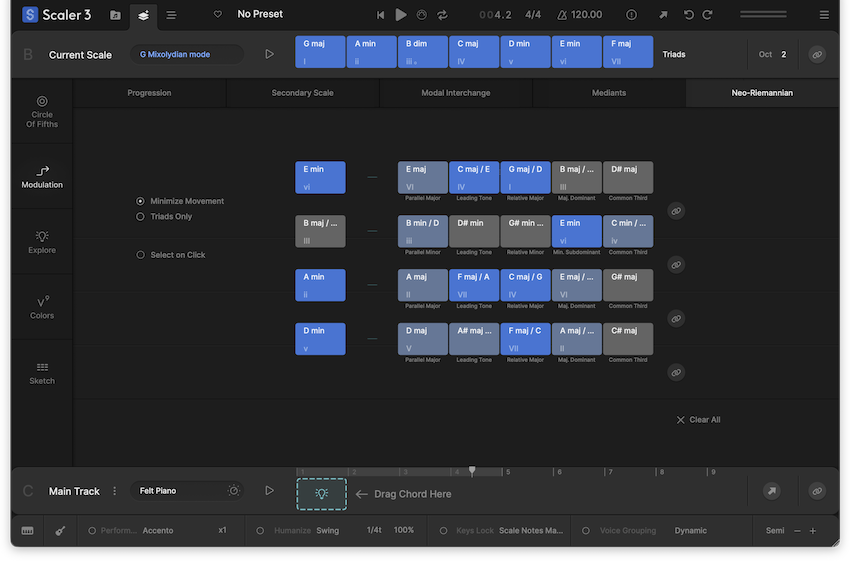
The new Explore page suggests chords untied to any fixed scale, categorized by feel (Bright/Dark/Neutral) — a doorway to bolder progressions. The Colors page lays out substitutions, inversions and extensions at a glance, and Modulation suggestions propose multiple routes from your current progression to a destination key (secondary scales, modal interchange, mediants, Neo-Riemannian moves). It turns the material that makes people give up on theory books into a "listen and pick" workflow.
5. What the 3.1–3.3 updates added
Free updates have kept coming since launch: Live Sync to keep chords consistent across multiple instances (3.1); Scenes for song sections, User Track recording into the piano roll and Divisi voice allocation (3.2); and Multi-Bind for performing chords and Motions simultaneously (3.3). The official overview video below covers the latest 3.3 features.
Pricing and system requirements (as of July 20, 2026)
| Edition | Price | Notes |
|---|---|---|
| Scaler 3 (full) | $99 regular | One-time purchase. Confirmed on the Plugin Boutique product page |
| Scaler 3 Upgrade | $39 | Discounted upgrade for Scaler 1/2 owners |
| Free trial | Free | Trial version distributed on Plugin Boutique (free account required) |
*Confirmed by our editorial team on July 20, 2026 on the Plugin Boutique product page. Scaler is frequently discounted (a limited-time discount was running at the time of writing), so check the linked page for the current price.
System requirements are macOS 10.14+ (native Apple Silicon support) / Windows 8+, with standalone plus VST/VST3/AU/AAX formats. Major DAWs are supported, including Ableton Live, Logic Pro, FL Studio, Cubase, Studio One and Pro Tools. It also ships with 50 internal sounds, so you can make noise the day you install it (the iPad version is sold separately).
Free chordlab vs. Scaler 3: which should you use? (Comparison table)
Beat Lab has its own free, browser-based chord progression generator (chordlab). If you're curious about Scaler 3 but hesitant about the $99, here's how the two tools' roles compare.
| chordlab (ours, free) | Scaler 3 | |
|---|---|---|
| Price | Free | $99 regular (one-time) |
| Runs on | Browser only — no install, no signup | Mac/Win standalone + VST/VST3/AU/AAX |
| Progressions | 126 presets + next-chord suggestion engine | 1,000+ chord sets + suggestions and automatic voice leading |
| Genre focus | Neo-Soul / R&B / Deep House / Hip Hop | All genres (with artist chord sets) |
| Performance patterns | Arpeggio and other patterns + rhythm feels | Motions: large library of melodies, basslines, phrases |
| MIDI export | Drag & drop into your DAW | MIDI/audio export, external MIDI out |
| Chord detection from songs | Not supported | Detects keys/chords from audio and MIDI |
| Theory & modulation help | Simple in-scale suggestions only | Circle of fifths, modulation routes, substitution pages |
| Arrangement | None (progressions only) | Multi-lane timeline, Scenes, plugin hosting |
| Learning curve | Practically zero — open and play | Feature-dense; expect some learning time (official tutorials help) |
| Best for | Trying the chords-first workflow for free | Going deep into modulation and arrangement as your main tool |
The conclusion is simple: if writing from chords is new to you, the free chordlab is enough to start. Drop a preset progression into your DAW as MIDI, layer toplines using our guide on how to make melody loops, and you can finish loops without Scaler at all. The moment you find yourself wanting to detect chords from reference tracks, get modulation suggestions, or audition auto-generated melodies and basslines — that's when Scaler 3 is worth the money.
Who it's for / who can wait
- You stall on chords every session: Scaler only shows options that fit the scale, so you finish progressions by picking "safe" chords — and rack up finished tracks while postponing theory study
- You produce type beats or melody loops in volume: Motions generate melody and bass starting points automatically, which dramatically speeds up loop-making
- You want to learn theory by using it: the circle of fifths, substitutions and modulation routes are always visualized, so the theory map sinks in as you play
- You haven't tried free tools yet: start with chordlab (free) to experience the chords-first workflow, and stock up on free instruments and effects with our 8 best free plugins
Scaler 3 also pairs extremely well with a MIDI keyboard thanks to its one-finger Bind performance. If you don't own one yet, see our 49-key MIDI keyboard comparison. And if you like the key-and-scale-aware philosophy, Scaler Music has brought the same idea to mixing: our Scaler EQ review covers how it cleans up 808s and samples.
FAQ
Q1. Can I use it without knowing music theory?
A. Yes. It only presents chords that fit your scale and can be played with one finger. It is feature-dense, though, and most reviews agree it takes time to master. Getting comfortable with the chords-first workflow on the free chordlab first makes the transition smoother.
Q2. Is it a free update from Scaler 2?
A. No. Scaler 1/2 owners get a paid upgrade edition ($39, confirmed July 20, 2026) — much cheaper than the full $99 purchase.
Q3. Can I try it for free?
A. Yes — a free trial is distributed on the Plugin Boutique product page (free account required). If you'd rather not install anything, the browser-based chordlab is another way to test the workflow.
Q4. Which DAWs does it work with?
A. VST/VST3/AU/AAX formats, covering Ableton Live, Logic Pro, FL Studio, Cubase, Studio One, Pro Tools and more, plus standalone operation (macOS 10.14+ / Windows 8+).
Verdict
Scaler 3 takes the chord-assistance standard and turns it into a genuine songwriting sketch environment — standalone operation, plugin hosting, Motions and modulation suggestions included. At $99 regular ($39 upgrade), it pays for itself quickly if chord-writing is where your sessions stall. Try the free chordlab and the official trial first, and buy the full version once you want the tool to take you further automatically.